
|
Do it yourself
| |||
| ||||


How to Reset the Service on the Triumph Tiger Sport 660?
Model: Triumph Tiger Sport 660
Video tutorial
In this tutorial, you will see how to reset the service on the Triumph Tiger Sport 660, a very simple operation. To do this, you will need the scanner shown in the video, which can be easily found online. Start by opening the seat, then locate the OBD socket and connect the scanner to it. Next, turn on the instrument panel, interface the scanner with the corresponding app installed on your smartphone, open the "ECU" menu, and enter the "Tests & Adjustments" section. Finally, go to "Adjustments", select "Reset Service Interval", and confirm your choice.
Updated on 7 September 2026 by ScegliAuto
Related tutorials
Tiger Sport 660
To replace the exhaust of the Triumph Tiger Sport 660, you need to loosen the screws that fix the exhaust terminal to its housing, located on the rig…

Tiger Sport 660
In this tutorial, you will see how to change the engine oil in the Triumph Tiger Sport 660, a very simple and quick operation. First, ensure that the…

Tiger Sport 660
The air filter of the Triumph Tiger Sport 660 can be replaced by unscrewing the screws that fix the motorcycle seat to its housing, so that it can be…
|
How to Reset the Service Light on a KTM Super Duke 1290 R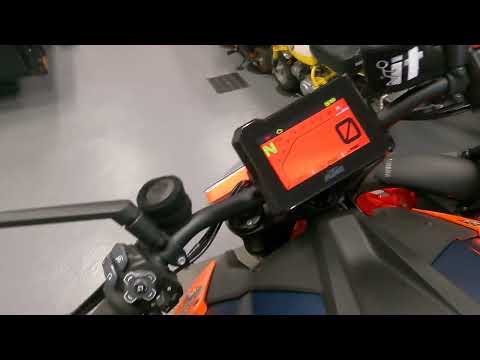
This tutorial shows how to reset the service light on a KTM Super Duke 1290 R, a very simple and quick operation. Before proceeding, ensure that you have completed the required scheduled maintenance. Start by inserting the key and turning on the instrument panel, then navigate to the general menu, move the selector to "Options" and press the two indicated buttons. Adjust the two intervals using the directional arrows, return to the main screen, and restart the panel to verify that the reset was successful. by ScegliAuto More videos
|
|
For advertising on this site Write to info@scegliauto.com
ScegliAuto is not responsible for any inaccuracy of the data in the lists. To report any inaccuracy or your business (if you own the business in question), please write to info@scegliauto.com
Number of seconds to generate the page: 0.007
(c) ScegliAuto 2026 - info@scegliauto.com - Privacy policy VAT number: IT01247470535 |
