
|
Do it yourself
| |||
| ||||


|
Model: (Various brands) Various
Replacing the battery in a Harley Davidson remote is really straightforward. To do this, you just need a small flat-head screwdriver and, of course, a new battery. Use the screwdriver to pry open the side slot of the remote, splitting it into two halves. Remove the exhausted battery (by hand or still using the screwdriver) and insert the new one that you purchased, matching it to the one removed. Close the remote by reattaching the removed cover and check its proper functioning by starting the bike. As you can see, this is a very simple, quick, and inexpensive task.
Updated on 10 April 2026 by ScegliAuto
This video is currently unavailable
Related tutorials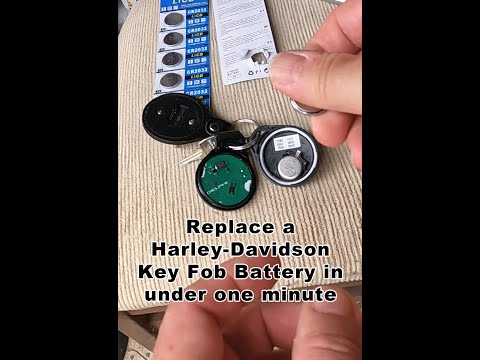
(Various brands) Various
If your Harley Davidson key is not working due to a completely dead battery and you want to know how to replace it, follow this procedure. First, get…

(Various brands) Various
In this video we can see how to change the battery in the remote control of a Harley Davidson. The model doesn't matter, as the functionality is the …
(Various brands) Various
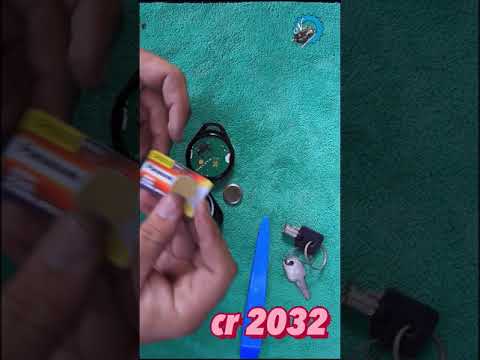
Today, you will perform a very simple task: removing and replacing the battery in the key used for Harley Davidson motorcycles. First, remove the man…
|
How to reset the oil light on the Honda SH 125
If the oil light appears on your Honda SH 125 dashboard despite having recently changed the oil, don't worry as you can resolve this minor issue with a simple manual reset procedure. First, turn on the ignition and hold down the "Info A" and "Info B" buttons located at the bottom of the left knob. At this point, press the "Info B" button multiple times until the oil change indicator starts to flash. Finally, press the "Info A" button once to perform the reset. The procedure is now complete. by ScegliAuto More videos
|
|
For advertising on this site Write to info@scegliauto.com
ScegliAuto is not responsible for any inaccuracy of the data in the lists. To report any inaccuracy or your business (if you own the business in question), please write to info@scegliauto.com
Number of seconds to generate the page: 0.109
(c) ScegliAuto 2026 - info@scegliauto.com - Privacy policy VAT number: IT01247470535 |
