
|
Do it yourself
| |||
| ||||


How to Reset the Service on an Aprilia Scarabeo 300
Model: (Various brands) Various
Video tutorial
To reset the service on the Scarabeo 300, start by turning on the instrument panel, noting that the service light (spanner) is on, then proceed with the reset; with the instrument panel off, hold down the button to the right under the display and simultaneously turn on the instrument panel. At this point, you will notice that the service light (spanner) is flashing and wait a few minutes while still holding the button until the new mileage for the next service appears and the light goes off; as soon as the new mileage appears, you can release the button and turn off the instrument panel. Finally, turn it back on to check if the new mileage appears correctly.
Updated on 21 May 2026 by ScegliAuto
Related tutorials
(Various brands) Various
If you have replaced the engine oil and filter on this model of motorcycle, you must then reset the service indicator light that has illuminated on t…

(Various brands) Various
Once you have changed the oil and filter on this scooter, you need to proceed as follows to clear the service indication present on the dashboard. Us…
(Various brands) Various
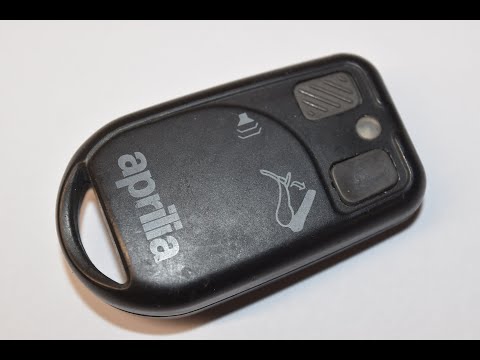
In this tutorial, you will see how to replace the battery in the remote control of an Aprilia scooter, a very simple and quick operation. You will ne…
ScegliAuto offers an extensive international collection of automotive tutorials available in 12 languages. Each guide combines instructional videos with original explanations written by experienced human editors, along with information about the car models covered.
|
Frequently Asked QuestionsHow to Change the Speed Unit on the Suzuki GSXR 1000
If you want to manually and independently change the speed unit displayed on the instrument panel of your Suzuki GSXR 1000 from KMH to MPH or vice versa, read this guide carefully and follow the steps described. First, turn on the central dashboard and press the menu button located to the left of the speedometer multiple times until 'ODO' appears on the display. At this point, press and hold the two buttons for a few seconds and release them as soon as the new speed unit appears on the display. by ScegliAuto More videos
|
|
For advertising on this site Write to info@scegliauto.com
ScegliAuto is not responsible for any inaccuracy of the data in the lists. To report any inaccuracy or your business (if you own the business in question), please write to info@scegliauto.com
Number of seconds to generate the page: 0.039
(c) ScegliAuto 2026 - info@scegliauto.com - Privacy policy - About us VAT number: IT01247470535 |
