
|
Do it yourself
| |||
| ||||


|
Model: (Various brands) Various
On a motorcycle, the tyre monitoring system is perhaps more necessary than on a car. Let’s see how to install it. The one recommended by the YouTuber can be found on Amazon, with the code B08CMWPRKZ, at a price of £38.99, including delivery. The first thing to do is install the two sensors on the wheels; the receiver will immediately pick up the signal. Now, attach the receiver to its bracket, which we will install on the handlebars. The bracket has many adjustments, allowing it to be fitted to any motorcycle, making it very versatile. The ball head allows for many angles so that the screen is always visible. Installation is very simple.
Updated on 25 August 2026 by ScegliAuto
Video tutorial
Related tutorials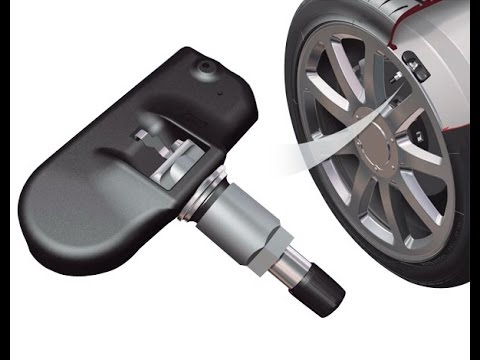
(Various brands) Various
Since November 2014, every vehicle must have a tyre pressure monitoring system (TPMS). These systems can be "indirect" when there is no physical devi…

(Various brands) Various
This video is aimed at older cars that do not have the tyre pressure monitoring system (TPMS) already fitted as standard, allowing you to benefit fro…

(Various brands) Various
Learn how to install Android Auto on R-Link by mirroring what you have on your smartphone. First, select the aaad github from your device, where you …
|
Replacing the Rear Light on a Harley Davidson Street Glide
In today's tutorial video, we will see how to remove and replace the rear light on a Harley Davidson Street Glide in simple and quick steps. First, place your bike on a stand and move to the rear; then use a socket and spanner to unscrew and remove the nuts found inside the wheel arch, at the height of the rear light, as shown in the video. At this point, disconnect the electrical connector to remove and replace the light with the new one; then reassemble everything, applying the reverse procedure! by ScegliAuto More videos
|
|
For advertising on this site Write to info@scegliauto.com
ScegliAuto is not responsible for any inaccuracy of the data in the lists. To report any inaccuracy or your business (if you own the business in question), please write to info@scegliauto.com
Number of seconds to generate the page: 0.149
(c) ScegliAuto 2026 - info@scegliauto.com - Privacy policy VAT number: IT01247470535 |
