
|
Do it yourself
| |||
| ||||


How to set the time and date in the Iveco Daily van?
Model: IVECO Daily
MK 4
- Years 2006-2020
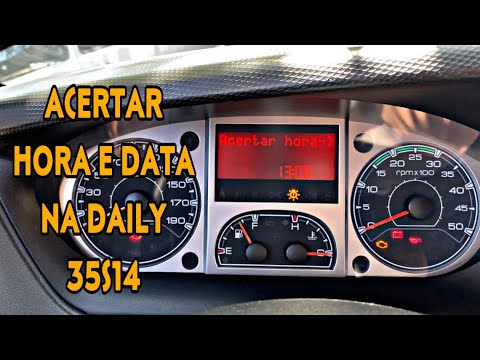
Setting the time and date in the Iveco Daily van is an extremely simple and quick operation; let's see how to proceed in this tutorial. First, turn on the instrument panel; it is not necessary to start the engine. Then locate the buttons you will use, the "Mode" button and the two directional arrows, located behind the right control lever. Change the display screens until you find the general menu, scroll down or up, select an option between "Set clock" and "Set date" and adjust the values as needed, using the same buttons throughout.
Updated on 24 May 2026 by ScegliAuto
Video tutorial
Related tutorials
IVECO Daily
(2014-2026 /
MK 5)
Today, we will see in this video tutorial how to change the date and time on the Iveco Daily. First, get into the vehicle and turn on the instrument …
IVECO Daily
Here’s how to set the date and time on the Iveco Daily. First, press the mode button on the panel to the left of the steering wheel, then use the arr…

IVECO Daily
(2014-2026 /
MK 5)
In this tutorial we can see how to adjust the time in the Iveco Daily van, an extremely simple and quick operation, to be carried out for example aft…
Other guides you may be interested in
|
How to Replace the Key Battery in a Skoda Karoq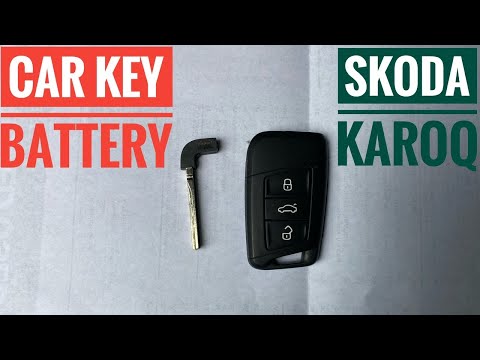
Replacing the button battery in your new Skoda Karoq key takes just a few minutes and can be done independently. Simply follow these steps. First, press the lower button of the cover while simultaneously pulling out the physical emergency key. Then, using a small flat screwdriver, remove the rear cover to access the exhausted battery. Remove the old battery and replace it with a new compatible model (CR2032). Finally, reattach the rear cover and insert the physical key back in. by ScegliAuto More videos
|
|
For advertising on this site Write to info@scegliauto.com
ScegliAuto is not responsible for any inaccuracy of the data in the lists. To report any inaccuracy or your business (if you own the business in question), please write to info@scegliauto.com
Number of seconds to generate the page: 0.106
(c) ScegliAuto 2026 - info@scegliauto.com - Privacy policy VAT number: IT01247470535 |
