
|
Do it yourself
| |||
| ||||


When to Change TPMS Sensors on Tyres
Model: (Various brands) Various
Video tutorial
In this video, we see how to programme TPMS sensors using a special device; this occurs when the sensors run out (as it is not possible to change the batteries in the sensors, they must be replaced) or when you decide to have a dual set of summer and winter tyres with double wheels. In this case, double sensors are also fitted. Although every modern vehicle has its own TPMS relearning system, there may be specific situations where you prefer to carry out this operation using a dedicated device. This is possible through a wide range of devices available on e-commerce sites: for example, the code B0CHN7G15N on Amazon for £126.39, including delivery charges.
Updated on 31 August 2026 by ScegliAuto
Related tutorials
(Various brands) Various
This video explains the differences between various tyre constructions (hard ones that support lower pressures, soft ones that require higher pressur…
(Various brands) Various
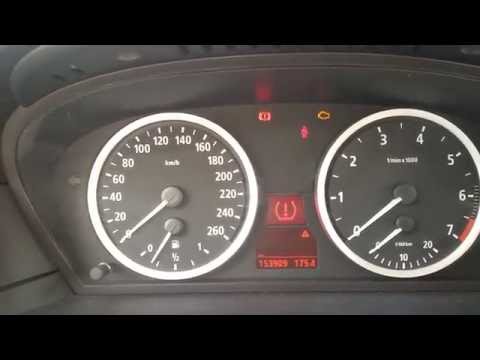
What to do when the tyre warning light is illuminated on the dashboard? Let's perform the tyre warning light reset. Turn on the ignition with the app…

(Various brands) Various
In reality, when the tire pressure monitoring system is not working, the reasons can be different: the sensors' battery is low, a problem with the TP…
Other guides you may be interested in
|
How to Open the Fuel Flap on a Volkswagen Tiguan?
To open the fuel flap on a Volkswagen Tiguan, first unlock the car using the appropriate button on the remote. This will open the car and unlock the mechanism that controls the fuel flap. At this point, apply light pressure to the left side of the flap to open it and access the cap underneath. Once this is unscrewed, you can refuel and then close everything. by ScegliAuto More videos
|
|
For advertising on this site Write to info@scegliauto.com
ScegliAuto is not responsible for any inaccuracy of the data in the lists. To report any inaccuracy or your business (if you own the business in question), please write to info@scegliauto.com
Number of seconds to generate the page: 0.019
(c) ScegliAuto 2026 - info@scegliauto.com - Privacy policy VAT number: IT01247470535 |
