
|
Do it yourself
| |||
| ||||


How to Obtain the Unlock Code for the Car Radio
Model: (Various brands) Various
Video tutorial
The car radio stops functioning after the battery is replaced. Don't panic; simply enter the unlock code for the radio to restore its operation. But what if the unlock code is not available in the user manual? In this case, you need to visit the "RADIO CODE" website. Search for the site name; in this video, we type "CAR CODE UNLOCK" and select the vehicle model. Download the file and enter the serial code of the radio. Once you have the unlock code, input it into the radio.
Updated on 3 October 2026 by ScegliAuto
Related tutorials
(Various brands) Various
The unlock code for a Blaupunkt car radio depends on the serial number of the device, which can be read by disassembling the unit and accessing the i…

(Various brands) Various
The use of the Volkswagen car radio unlock code suggests that there is a need to re-enable a radio that has been locked following an attempted theft,…
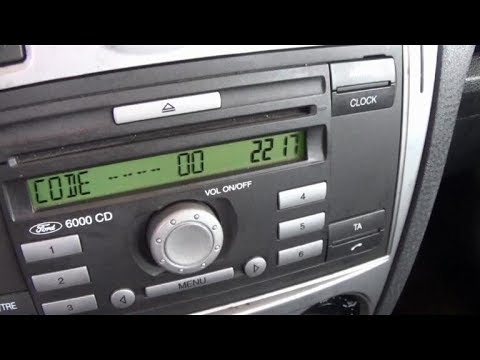
(Various brands) Various
Learn how to enter the unlock code for the car radio after removing the battery or replacing the stereo. This is a very simple operation: enter the v…
Other guides you may be interested in |
Frequently Asked QuestionsHow to Set the Time on an Audi A6
Briefly, we will see the instructions to set the time on the Audi A6 by following these simple steps. First, get inside the vehicle and turn on the instrument cluster; then press the settings button and navigate to the time option to confirm your choice, as shown in the video. At this point, set the correct time and format, then exit the settings menu to save the changes made; finally, start the engine and ensure that the time has been set correctly! by ScegliAuto More videos
|
|
For advertising on this site Write to info@scegliauto.com
ScegliAuto is not responsible for any inaccuracy of the data in the lists. To report any inaccuracy or your business (if you own the business in question), please write to info@scegliauto.com
Number of seconds to generate the page: 0.041
(c) ScegliAuto 2026 - info@scegliauto.com - Privacy policy VAT number: IT01247470535 |
