
|
Do it yourself
| |||
| ||||


How to reset the settings in Ford Sync 2?
Model: (Various brands) Various
The general management system for Ford cars is Sync, thanks to which you can control and set all available functions regarding the car radio, phone bluetooth connection, navigation, and so on. If you encounter difficulty in use due to a temporary software defect, you can choose, as shown in the video taking inspiration from Sync 1, which has the same procedure as Sync 2 for this operation, to reset in this way: Turn on the device, select Setting, System, and finally Master Reset. Operation completed.
Posted on 14 July 2024 by ScegliAuto
Video tutorial
Related tutorials
(Various brands) Various
In order to reset the car radio Sync with MyFord Touch, press the settings icon located at the bottom right of the car radio display: a menu will ope…
(Various brands) Various
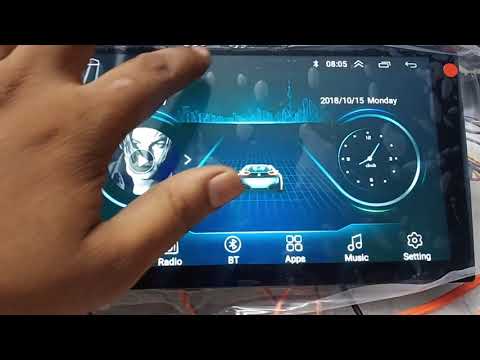
To reset the Android car radio, you need to lower the dropdown menu and then select the "Car settings" option. This will bring up another screen wher…

(Various brands) Various
Today, we will see how to reset the factory settings of the Junsun car radio. To perform the factory reset, turn on the onboard computer and select t…
Other guides you may be interested in
|
Frequently Asked QuestionsHow to Open the Bonnet of a BMW 1
Maintenance on a BMW 1? How do you open the front bonnet? This is a simple operation, let's see how to do it. Pull the lever located at the bottom left of the dashboard, then slightly lift the bonnet and pull the release lever. Lift the front bonnet and secure it with the prop rod. Top up the oil, coolant, and screenwash. To close the bonnet, remove the safety rod and let the bonnet drop down from a minimal height. Close the front bonnet and ensure it is properly secured to avoid issues while driving. by ScegliAuto More videos
|
|
For advertising on this site Write to info@scegliauto.com
ScegliAuto is not responsible for any inaccuracy of the data in the lists. To report any inaccuracy or your business (if you own the business in question), please write to info@scegliauto.com
Number of seconds to generate the page: 0.078
(c) ScegliAuto 2026 - info@scegliauto.com - Privacy policy VAT number: IT01247470535 |
