
|
Do it yourself
| |||
| ||||


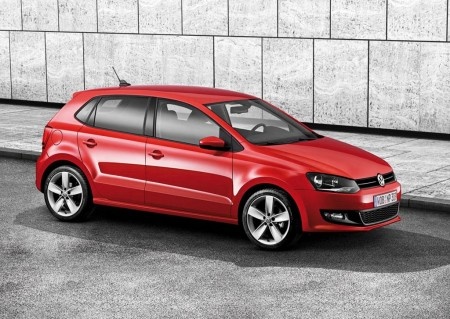
How to replace the radio in a Volkswagen Polo
Model: Volkswagen Polo
6R, MK V, Polo 5, Polo V, MK 5
- Years:
2009, 2010, 2011, 2012, 2013, 2014, 2015, 2016, 2017
Video tutorial
Today's guide will show you how to remove and replace the standard radio with an Android type in a Volkswagen Polo. First, get inside the vehicle and start by removing the side plastic cover of the radio; then unscrew the four fixing screws and disconnect the electrical connectors found at the back to remove it, as shown in the video. At this point, install the new multimedia system compatible with Android, making any necessary wiring modifications, and follow the video tutorial to the end for proper installation!
Updated on 19 October 2026 by ScegliAuto
Related tutorials
Volkswagen Polo
(2009-2017 /
6R, MK V, Polo 5, Polo V, MK 5)
Hello, today you will unlock the radio on your Volkswagen Polo. Start by turning on the radio by pressing the power button. Then, a request for a cod…

Volkswagen Polo
(2009-2017 /
6R, MK V, Polo 5, Polo V, MK 5)
Good morning and welcome back to Scegliauto.com! Today's goal is to replace the faulty radio in our Volkswagen Polo with a more modern unit. Start by…
Volkswagen Polo
(2001-2009 /
MK IV, Polo 4, 9N, MK 4, Polo IV)
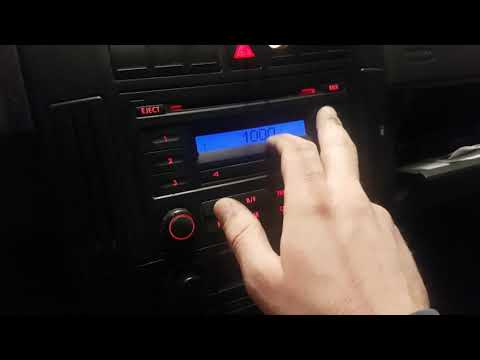
In this video tutorial, you can see how to reactivate your radio by following a few simple steps that will guide you towards proper management of you…
Other guides you may be interested in |
How to Open the Fuel Flap on a Volkswagen Tiguan?
To open the fuel flap on a Volkswagen Tiguan, first unlock the car using the appropriate button on the remote. This will open the car and unlock the mechanism that controls the fuel flap. At this point, apply light pressure to the left side of the flap to open it and access the cap underneath. Once this is unscrewed, you can refuel and then close everything. by ScegliAuto More videos
|
|
For advertising on this site Write to info@scegliauto.com
ScegliAuto is not responsible for any inaccuracy of the data in the lists. To report any inaccuracy or your business (if you own the business in question), please write to info@scegliauto.com
Number of seconds to generate the page: 0.010
(c) ScegliAuto 2026 - info@scegliauto.com - Privacy policy VAT number: IT01247470535 |
