
|
Do it yourself
| |||
| ||||


How do you reset the partial odometer of the Volkswagen Taigun?
Model: Volkswagen Taigun
MK 1
- Years 2021-2026
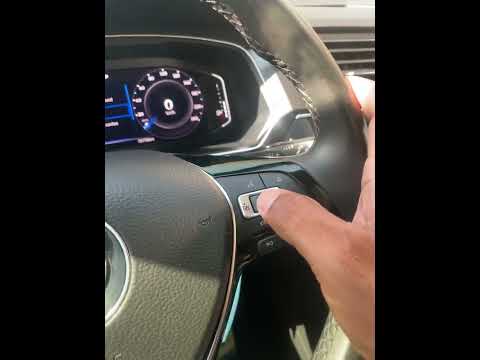
In order to reset the partial odometer of the Volkswagen Taigun, you need to turn on the instrument panel so that you can navigate through the menu that will appear on the central display of the dashboard: here you will need to select the gear icon and then "Instrument cluster". This will open another screen, where you can choose whether to reset the partial odometer from the ignition or from the last reset. Once the reset procedure is complete, you can return to the initial screen and turn off the instrument panel.
Posted on 27 September 2024 by ScegliAuto
Video tutorial
Related tutorials
Volkswagen Taigun
(2021-2026 /
MK 1)
You can completely turn off the tire pressure light on the Volkswagen Taigun by inflating the tires to the optimal pressure: this is indicated on the…

Volkswagen Taigun
(2021-2026 /
MK 1)
It will be possible to completely delete the tire pressure warning light of the Volkswagen Taigun by inflating the tires until they are brought back …
Volkswagen Taigun
(2021-2026 /
MK 1)
To reset the Service light on the Volkswagen Taigun, turn on the ignition and navigate through the display using the controls on the right side of th…
Other guides you may be interested in
|
How to reset the tyre pressure warning light on the Dacia Sandero?
To reset the tyre pressure warning light on the Dacia Sandero, inflate all the tyres to the pressure indicated on the label on the driver's door. Once the tyres are inflated, turn on the ignition and navigate through the menu using the controls on the right side of the steering wheel. Scroll with the arrows to find the tyre pressure option: by holding down the OK button located on the right side of the steering wheel, you can reset the warning light. by ScegliAuto More videos
|

|
For advertising on this site Write to info@scegliauto.com
ScegliAuto is not responsible for any inaccuracy of the data in the lists. To report any inaccuracy or your business (if you own the business in question), please write to info@scegliauto.com
Number of seconds to generate the page: 0.086
(c) ScegliAuto 2026 - info@scegliauto.com - Privacy policy VAT number: IT01247470535 |
