
|
Do it yourself
| |||
| ||||



How to Reset the Tire Pressure Light on a Volkswagen Nivus?
Model: Volkswagen Nivus
MK 1
- Years:
2020, 2021, 2022, 2023, 2024, 2025, 2026
Video tutorial
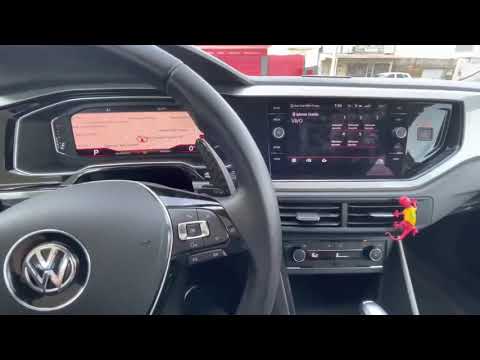
You can reset the tire pressure light on a Volkswagen Nivus by inflating all the tires to the correct pressure, which is indicated on the sticker located on the inside of the driver's door pillar. After all the tires are at the correct pressure, turn on the ignition to access the display on the central panel. Here, press the arrow in the upper right corner and then the button to reset the tire pressure: confirm with "Yes," and the light will turn off, disappearing from the display.
Posted on 1 August 2026 by ScegliAuto
Related tutorials
Volkswagen Nivus
(2020-2026 /
MK 1)
You can completely clear the Service light on the Volkswagen Nivus by turning on the instrument cluster, inserting the key into the ignition. Once th…
Volkswagen Nivus
(2020-2026 /
MK 1)
Inside the wheels of your Volkswagen Nivus, there is a sensor that detects tire pressure in real-time. Sometimes, this sensor may have reading errors…

Volkswagen Nivus
(2020-2026 /
MK 1)
You can completely clear the Service light displayed on the instrument cluster of the Volkswagen Nivus by turning on the display to navigate the menu…
ScegliAuto offers an extensive international collection of automotive tutorials available in 12 languages. Each guide combines instructional videos with original explanations written by experienced human editors, along with information about the car models covered.
Other guides you may be interested in
|
What does the "Code 82" message indicate in the Chevrolet Orlando and how to remove it?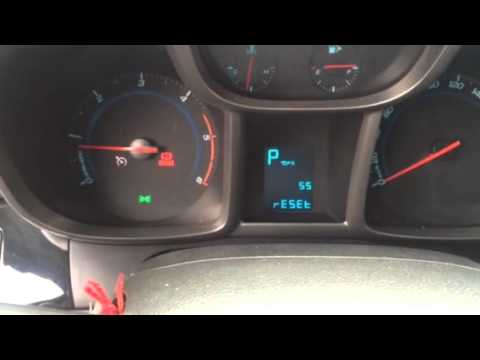
If the "Code 82" message appears on the dashboard of your Chevrolet Orlando, it means that the service interval in miles or time has been reached. Once all scheduled maintenance tasks are completed, you can remove the warning by following the simple procedure shown in this tutorial. First, insert the key and turn on the ignition, then press the "MENU" button located on the left control stalk and navigate to the screen displaying the "Reset" option. At this point, press the "SET/CLR" button at the end of the same stalk and confirm the reset. by ScegliAuto More videos
|
|
For advertising on this site Write to info@scegliauto.com
ScegliAuto is not responsible for any inaccuracy of the data in the lists. To report any inaccuracy or your business (if you own the business in question), please write to info@scegliauto.com
Number of seconds to generate the page: 0.017
(c) ScegliAuto 2026 - info@scegliauto.com - Privacy policy - About us VAT number: IT01247470535 |
