
|
Do it yourself
| |||
| ||||


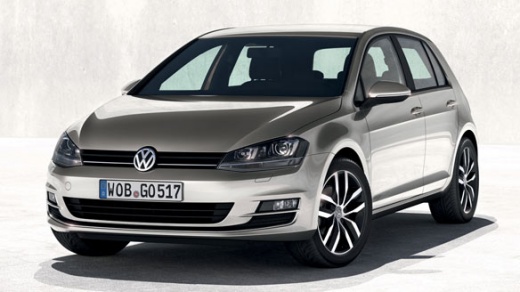
How to replace the ignition button on the Volkswagen Golf?
Model: Volkswagen Golf
- Years:
2012, 2013, 2014, 2015, 2016, 2017, 2018, 2019
Video tutorial
To remove the ignition button on the Volkswagen Golf, use a tool to pry off the trim surrounding the centre console. Once this trim is released from the clips underneath, locate the button that needs to be extracted from its housing and disconnected from the connector. At this point, connect the new button to the connector: insert it into its place, and then reinstall the centre console trim to ensure everything works.
Posted on 12 November 2026 by ScegliAuto
Related tutorials
Volkswagen Golf
(2019-2026 /
MK 8, Golf 8, Golf Viii)
To reset the infotainment system on a Volkswagen Golf, turn on the instrument cluster by inserting the ignition key and pressing the ignition button.…

Volkswagen Golf
(2003-2008 /
Golf 5, MK 5, Golf V)
Today, we will see the main instructions on how to dismantle and replace the ignition barrel on the Volkswagen Golf. First, open the bonnet of the ve…

Volkswagen Golf
(2012-2019 /
MK 7, Golf 7, Golf VII)
Follow this guide to start the engine of the Volkswagen Golf by following these simple steps. First, get inside the vehicle and bring the electronic …
Other guides you may be interested in |
How to Disable the Passenger Airbag in a Mercedes A-Class?
You can disable the passenger airbag in the specified vehicle at your own risk using the vehicle's key. There is a switch next to the steering wheel, on the driver's side, at knee height, through which you can activate and deactivate the airbag. In the video provided, you can clearly see the procedure, noting how the airbag indicator light, along with a message, alerts the driver about the activation or deactivation status. by ScegliAuto More videos
|
|
For advertising on this site Write to info@scegliauto.com
ScegliAuto is not responsible for any inaccuracy of the data in the lists. To report any inaccuracy or your business (if you own the business in question), please write to info@scegliauto.com
Number of seconds to generate the page: 0.018
(c) ScegliAuto 2026 - info@scegliauto.com - Privacy policy VAT number: IT01247470535 |
