
|
Do it yourself
| |||
| ||||


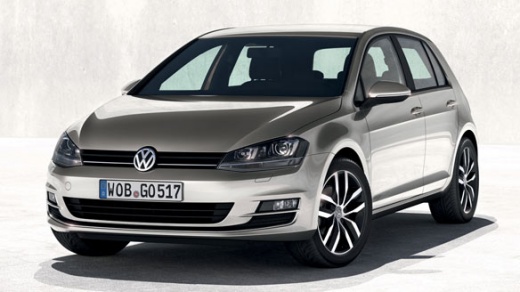
How to Start the Engine of the Volkswagen Golf
Model: Volkswagen Golf
MK 7, Golf 7, Golf VII
- Years:
2012, 2013, 2014, 2015, 2016, 2017, 2018, 2019
Video tutorial
Follow this guide to start the engine of the Volkswagen Golf by following these simple steps. First, get inside the vehicle and bring the electronic key close if your car is equipped with one; then press the ignition button or turn the key to switch on the dashboard, keeping the clutch pedal pressed to proceed with starting the engine, as shown in the video. Next, start the engine, ensuring that the electronic handbrake is engaged; press the button again to turn off the engine!
Updated on 6 August 2026 by ScegliAuto
Related tutorials
Volkswagen Golf
(2019-2026 /
MK 8, Golf 8, Golf Viii)
In this tutorial, you will see how to restart the infotainment system in a Volkswagen Golf, a very simple operation to perform in various cases of ma…

Volkswagen Golf
(2012-2019 /
MK 7, Golf 7, Golf VII)
In this short guide, we will see the instructions that will allow us to reset the warning lights that appear on the instrument panel after replacing …

Volkswagen Golf
(2003-2008 /
Golf 5, MK 5, Golf V)
The following video tutorial shows how to restart the air conditioning system on the Volkswagen Golf 5. To perform the operation, turn on the vehicle…
Other guides you may be interested in
|
How to Disable the Passenger Airbag in a Mercedes A-Class?
You can disable the passenger airbag in the specified vehicle at your own risk using the vehicle's key. There is a switch next to the steering wheel, on the driver's side, at knee height, through which you can activate and deactivate the airbag. In the video provided, you can clearly see the procedure, noting how the airbag indicator light, along with a message, alerts the driver about the activation or deactivation status. by ScegliAuto More videos
|
|
For advertising on this site Write to info@scegliauto.com
ScegliAuto is not responsible for any inaccuracy of the data in the lists. To report any inaccuracy or your business (if you own the business in question), please write to info@scegliauto.com
Number of seconds to generate the page: 0.138
(c) ScegliAuto 2026 - info@scegliauto.com - Privacy policy VAT number: IT01247470535 |
