
|
Do it yourself
| |||
| ||||


How to Activate Voice Commands and App Connect on the Volkswagen T-Roc
Model: Volkswagen T Roc
MK 1
- Years 2017-2025
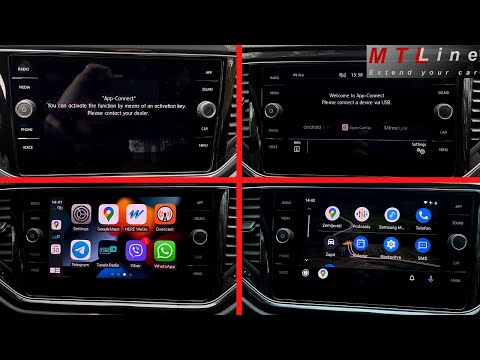
To activate the voice commands and App Connect function (Android Auto or Apple CarPlay) on the Volkswagen T-Roc, you need to remove the internal unit located in the glove compartment. Use the supplied clips, inserting them into the slots at the bottom of the unit until fully inserted, then pull out the unit and disconnect the plugs. In the video, to perform this activation, the unit is sent to professional technicians who return it within a week (4-5 days) with the functionalities activated. Remove the unit from the packaging, connect the plugs until you hear a click, and do not fully insert the unit yet. Turn on the vehicle's instrument panel, power up the infotainment system, and test the new features such as the voice commands (activated by the button on the radio or the button on the steering wheel) and App Connect (Android Auto or Apple CarPlay, activated by the button on the radio). At this point, test the new functionalities, then fully insert the unit into the glove compartment, close the glove compartment, and the operation is complete. The car can be used without the unit inside for a few days, but obviously without the radio.
Updated on 17 June 2026 by ScegliAuto
Video tutorial
Related tutorials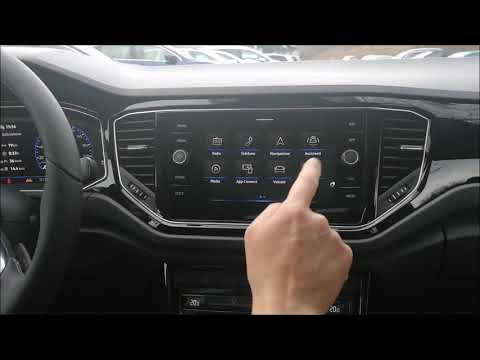
Volkswagen T Roc
(2017-2025 /
MK 1)
First, download the free We Connect app for your smartphone. Depending on your operating system, you can find the Android version in the Google Play …
Volkswagen T Roc
(2017-2025 /
MK 1)
To unlock App Connect on the Volkswagen T-Roc, you cannot perform the procedure independently: you must visit an official dealer or an authorised wor…

Volkswagen T Roc
(2017-2025 /
MK 1)
The following instructions will allow you to activate the App-Connect system on the Volkswagen T-Roc. First, get into the vehicle and start the instr…
Other guides you may be interested in
|
How to Connect the Cables to the Battery of the Citroen Xsara Picasso?
In this tutorial, you will see how to connect the cables to the battery of the Citroen Xsara Picasso, useful if you need to recharge it or perform an emergency start. First, ensure the key is not inserted, then open the bonnet and move to the front of the left headlamp. Next, locate the bolt just behind the filter box and connect the positive terminal clamp to it. Now you can connect the negative terminal to any point on the chassis, such as the indicated point. Once the operation is complete, ensure you disconnect the negative first and then the positive. by ScegliAuto More videos
|

|
For advertising on this site Write to info@scegliauto.com
ScegliAuto is not responsible for any inaccuracy of the data in the lists. To report any inaccuracy or your business (if you own the business in question), please write to info@scegliauto.com
Number of seconds to generate the page: 0.127
(c) ScegliAuto 2026 - info@scegliauto.com - Privacy policy VAT number: IT01247470535 |
