
|
Do it yourself
| |||
| ||||


How to Open a Stuck Glove Compartment on the Volkswagen Polo 9N
Model: Volkswagen Polo
MK IV, Polo IV, Polo 4, MK 4, 9N
- Years 2001-2009
If the glove compartment of your Volkswagen Polo 9N won't open, there are several methods to try: you can tap on the door near the lock while pulling the handle, but be careful not to apply too much force, as there is a passenger airbag in this area! You can also try using a very thin flat screwdriver between the plastic handle and the body of the compartment, attempting to push down the plastic lever located just below the handle. Another option is to remove the side panel of the cabin by inserting a screwdriver into the slot near the glove compartment; however, this method can be quite difficult to access. The extreme method is to force the lock by pulling the handle hard until the plastic mechanism breaks (after which the compartment will no longer close). If the lock is broken, you can replace it by finding it on AliExpress with the code 1005009061260374 for €6.22, with free delivery over €20.
Posted on 4 August 2026 by ScegliAuto
Video tutorial
Related tutorials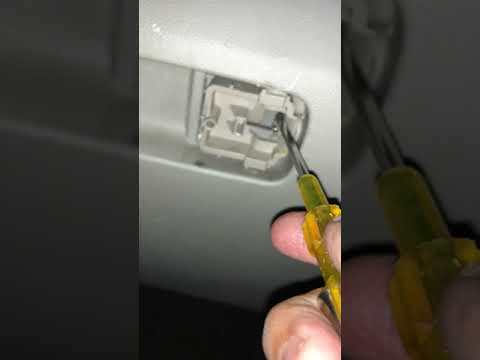
Volkswagen Polo
(2009-2017 /
Polo 5, Polo V, MK 5, MK V, 6R)
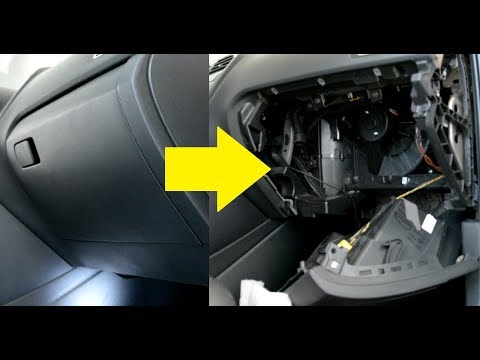
This guide shows how to open the glove compartment on the Volkswagen Polo. If the lock handle of the glove compartment breaks, there is a very simple…
Volkswagen Polo
(2009-2017 /
Polo 5, Polo V, MK 5, MK V, 6R)
Before you can start, sit in the front passenger seat of your Volkswagen Polo. Begin by opening the glove compartment door to reveal the screws that …
Volkswagen Polo
(2009-2017 /
Polo 5, Polo V, MK 5, MK V, 6R)
Before starting, sit in the front passenger seat of your Volkswagen Polo. Begin by opening the glove compartment door to reveal the screws that secur…
Other guides you may be interested in
|
How to Reset the Tyre Pressure Light on the Opel Grandland X
While driving, if you notice the tyre pressure warning light coming on, first check the actual inflation pressure of the tyres and, if necessary, restore the pressures recommended by the manufacturer. After restoring the correct pressures, you need to reset the warning light that has illuminated on the instrument cluster. To do this, locate the reset button on the lower central console. Press this button and hold it down for at least 3 seconds, after which the low pressure indication will turn off. by ScegliAuto More videos
|
|
For advertising on this site Write to info@scegliauto.com
ScegliAuto is not responsible for any inaccuracy of the data in the lists. To report any inaccuracy or your business (if you own the business in question), please write to info@scegliauto.com
Number of seconds to generate the page: 0.085
(c) ScegliAuto 2026 - info@scegliauto.com - Privacy policy VAT number: IT01247470535 |
