
|
Do it yourself
| |||
| ||||


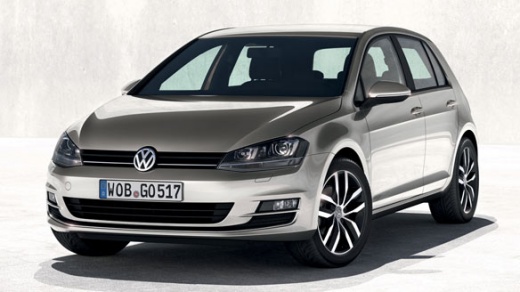
How to Remove the "Check SAFELOCK!" Message on a Volkswagen Golf?
Model: Volkswagen Golf
MK 7, Golf 7, Golf VII
- Years:
2012, 2013, 2014, 2015, 2016, 2017, 2018, 2019
Video tutorial
To deactivate the "Check SAFELOCK!" message that appears on the instrument cluster of the Volkswagen Golf, connect a diagnostic tool to the vehicle's OBD port: this is located just below the steering column. Once the scanner is connected to the port, select the car model and the corresponding version: for resetting the warning light, it is recommended to follow the step-by-step instructions provided in the video. After the operation is complete, disconnect the scanner and check that the warning light has been reset.
Updated on 21 June 2026 by ScegliAuto
Related tutorials
Volkswagen Golf
(2012-2019 /
MK 7, Golf 7, Golf VII)
The wording "Component protection active" that appears on the display of the Volkswagen Golf can be addressed by connecting a diagnostic tool to the …

Volkswagen Golf
(2012-2019 /
MK 7, Golf 7, Golf VII)
When the message "Component protection active" appears on the central display of a Volkswagen Golf, it means there is a general electronic issue prev…
Volkswagen Golf
(1997-2003 /
Golf IV, Golf 4, MK 4)
Learn how to reset the maintenance service on a Volkswagen Golf Mk4. This operation is very simple: enter the vehicle, turn on the ignition with the …
Other guides you may be interested in
|
How to Replace the Starter Motor on an Opel Corsa?
In this tutorial, you will see how to replace the starter motor on an Opel Corsa C, a relatively simple task if you have good manual skills. First, open the bonnet, then disconnect the negative terminal of the battery to work safely. Next, locate the device at the rear of the engine, remove the intake manifold, and unscrew the two nuts from the power terminals. At this point, you can unscrew the mounting bolts of the starter motor, separate it from the engine, and install the replacement by following the reverse procedure. by ScegliAuto More videos
|
For advertising on this site Write to info@scegliauto.com
ScegliAuto is not responsible for any inaccuracy of the data in the lists. To report any inaccuracy or your business (if you own the business in question), please write to info@scegliauto.com
Number of seconds to generate the page: 0.020
(c) ScegliAuto 2026 - info@scegliauto.com - Privacy policy VAT number: IT01247470535 |
