
|
Do it yourself
| |||
| ||||


2005-2011 Volkswagen Vento (MK 2, A5)
Tutorial - For model years: 2005, 2006, 2007, 2008, 2009, 2010, 2011
Mechanics (1)Electrical System and Lighting (4)Vehicle Controls and Functions (7) Volkswagen Vento (2005-2011 / A5, MK 2) Where are the cabin fuses located in the Volkswagen Vento? If you don't know where the cabin fuses of your Volkswagen Vento are located, all you need to do is read the following guide and follow the procedure …Read all… Posted on 4 December 2025 by ScegliAuto  Volkswagen Vento (2005-2011 / A5, MK 2) How to reset the service light on the Volkswagen Vento Today's instructions will allow us to reset the service light for routine maintenance of the engine oil change in the Volkswagen Vento. First, we get into the …Read all… Posted on 12 September 2025 by ScegliAuto  Volkswagen Vento (2005-2011 / A5, MK 2) How to reset the oil light on the Volkswagen Vento If you own a second series Volkswagen Vento and are wondering what the correct procedure is to manually reset the oil light, then all you have to do is read …Read all… Posted on 9 September 2025 by ScegliAuto  Volkswagen Vento (2005-2011 / A5, MK 2) How do you open the fuel tank cap in the Volkswagen Vento? The opening mode of the fuel tank cap of the Volkswagen Vento is not at all different from the majority of other cars, in fact the video guide that we can see …Read all… Posted on 30 July 2025 by ScegliAuto  Volkswagen Vento (2005-2011 / A5, MK 2) How to reset the service indicator of the Volkswagen Vento 2 If you have recently had the regular service of your Volkswagen Vento second series, but the warning light continues to stay on, then you must follow the …Read all… Posted on 26 July 2025 by ScegliAuto  Volkswagen Vento (2005-2011 / A5, MK 2) Where is the alternator fuse of the Volkswagen Vento located? Today we will explain how to replace the alternator fuse of the Volkswagen Vento. The fuse in question is located inside the fuse box located inside the front …Read all… Posted on 19 May 2025 by ScegliAuto  Volkswagen Vento (2005-2011 / A5, MK 2) Where to Find the Fuse Box of the 2011 Volkswagen Vento To locate the fuse box containing all the fuses of your 2011 Volkswagen Vento Mk2 quickly and safely, follow this procedure. First, enter the car from the …Read all… Posted on 23 October 2026 by ScegliAuto  Volkswagen Vento (2005-2011 / A5, MK 2) How to Remove the Radio from a VW Vento Removing the radio from the Volkswagen Vento is a straightforward task that you can do yourself. This is useful if you need to check the radio code on the back …Read all… Posted on 3 October 2026 by ScegliAuto 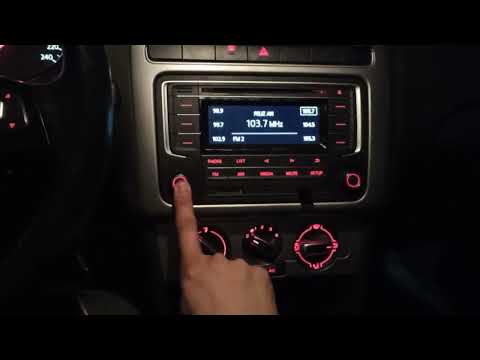 Volkswagen Vento (2005-2011 / A5, MK 2) How to Reset the Radio on a Volkswagen Vento To reset the radio on a Volkswagen Vento, turn on the instrument panel by inserting and turning the key in the ignition. Once the panel is on, press and hold …Read all… Posted on 29 September 2026 by ScegliAuto 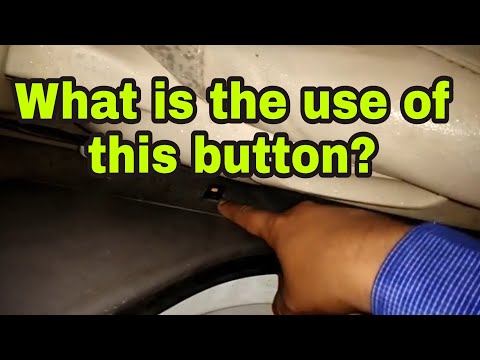 Volkswagen Vento (2005-2011 / A5, MK 2) How to Disable the Alarm on a Volkswagen Vento? To disable the alarm on a Volkswagen Vento, enter the cabin, specifically on the driver's side. At the bottom right of the seat, you will find a button. Press …Read all… Posted on 14 September 2026 by ScegliAuto  Volkswagen Vento (2005-2011 / A5, MK 2) Where are the fuses located in the Volkswagen Vento? The fuses of the Volkswagen Vento are contained within the designated fuse boxes installed in the vehicle: this model has two. The first is located on the left …Read all… Posted on 3 September 2026 by ScegliAuto 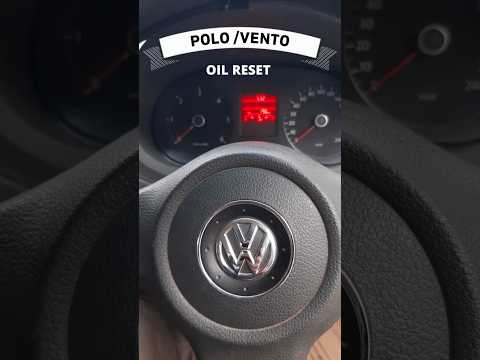 Volkswagen Vento (2005-2011 / A5, MK 2) How to Reset the Service Light on a Volkswagen Vento Resetting the service light on your Volkswagen Vento Mk2 (2005-2011) is very simple. Follow these steps. First, enter the cabin and locate the "0.0/Set" button …Read all… Posted on 27 October 2026 by ScegliAuto |
How to Reset the Tyre Pressure Light on a Cupra Formentor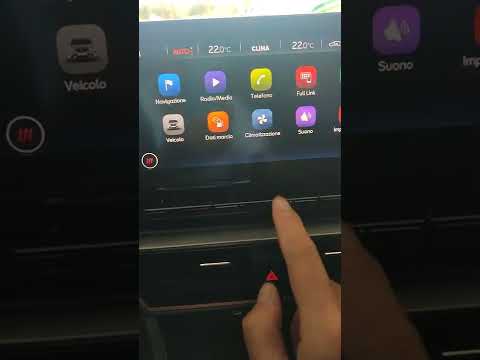
In this brief and simple video tutorial, learn how to reset the tyre pressure on a Cupra Formentor. Start by pressing the ignition button to turn on the instrument cluster. Now, use the touchscreen display on the central console to open the car menu. From here, select the driving data option, then the tyre pressure option. Now, click on the "SET" button with the pressure warning symbol and confirm the correct tyre pressure required by the manufacturer to perform the reset. by ScegliAuto More videos
|
|
For advertising on this site Write to info@scegliauto.com
ScegliAuto is not responsible for any inaccuracy of the data in the lists. To report any inaccuracy or your business (if you own the business in question), please write to info@scegliauto.com
Number of seconds to generate the page: 0.006
(c) ScegliAuto 2026 - info@scegliauto.com - Privacy policy VAT number: IT01247470535 |
