
|
Do it yourself
| |||
| ||||


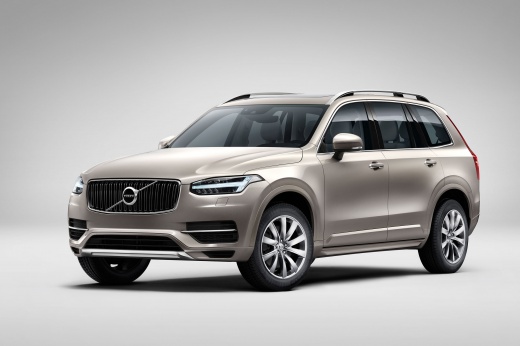
How to Reset the Tire Light in the Volvo XC90?
Model: Volvo Xc90
MK 2
- Years:
2015, 2016, 2017, 2018, 2019, 2020, 2021, 2022, 2023, 2024, 2025, 2026
Video tutorial
In this tutorial, you will see how to reset the tire light in the Volvo XC90, a very simple and quick operation that should only be performed once the correct pressure for each tire has been restored according to the instructions in the manual. First, go inside the cabin, then insert the key and turn on the ignition. Next, navigate to the general menu on the touchscreen display, enter "Car Status", then "TPMS", and perform the reset by selecting the "Store Pressure" option. To complete the procedure, simply restart the vehicle.
Posted on 30 May 2026 by ScegliAuto
Related tutorials
Volvo Xc90
(2015-2026 /
MK 2)
In this tutorial we can see how to reset the tire pressure warning light in the Volvo XC90, an extremely simple and quick operation, to be done only …

Volvo Xc90
(2015-2026 /
MK 2)
In this tutorial, you will see how to reset the tire light on a Volvo XC90, a very simple and quick operation that should only be performed after res…

Volvo Xc90
(2015-2026 /
MK 2)
In this tutorial we can see how to reset the tire pressure light in the Volvo XC90, an extremely simple and quick operation, to be done only once the…
Other guides you may be interested in
|
How to Remove the Rear Bumper on a Peugeot 308
This article outlines the procedure to remove and replace the rear bumper on a Peugeot 308 T9. First, remove the screws located in the wheel arch of the rear wheels, then remove the plastic clips underneath the bumper. Next, take off the wheel arch cover, and remove the plastic nut. After removing the nut, disconnect the connectors present. Now, remove the fixing screws located underneath the bumper and also the plastic clips. Once all clips and screws are removed, you can take off the bumper for repair or replacement. by ScegliAuto More videos
|
|
For advertising on this site Write to info@scegliauto.com
ScegliAuto is not responsible for any inaccuracy of the data in the lists. To report any inaccuracy or your business (if you own the business in question), please write to info@scegliauto.com
Number of seconds to generate the page: 0.127
(c) ScegliAuto 2026 - info@scegliauto.com - Privacy policy VAT number: IT01247470535 |
