
|
Do it yourself
| |||
| ||||


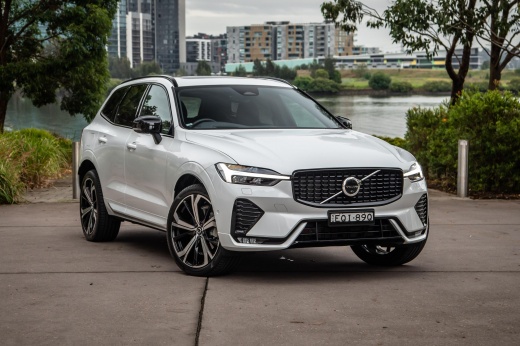
How to Reset the TPMS Warning Light on a Volvo XC60
Model: Volvo Xc60
MK 2
- Years 2017-2026
Today, we will go over the instructions to reset the Tire Pressure Monitoring System (TPMS) light on a Volvo XC60. Before recalibrating the TPMS sensors, ensure all four tires are at the proper operating pressure. Get inside the vehicle and turn on the instrument cluster. Then, go to the settings from the central display and select the tire pressure option, confirming and executing the recalibration of the TPMS sensors. Verify that the tire pressure light has been reset!
Posted on 15 August 2026 by ScegliAuto
Video tutorial
Related tutorials
Volvo Xc60
(2008-2016 /
MK 1)
In a few simple steps, we will see the process of resetting the tire pressure warning of the Volvo XC60; before resetting the TPMS sensors, it is nec…

Volvo Xc60
(2017-2026 /
MK 2)
In this guide, we will provide instructions on how to reset the tire pressure warning light on the Volvo XC60. Before resetting the TPMS sensors, it …

Volvo Xc60
(2017-2026 /
MK 2)
Let's go over the steps needed to reset the maintenance reminder on the Volvo XC60. First, get in the vehicle and press and hold the reset button loc…
Other guides you may be interested in
|
How to Lower the Rear Seat Backs of the Mercedes C-Class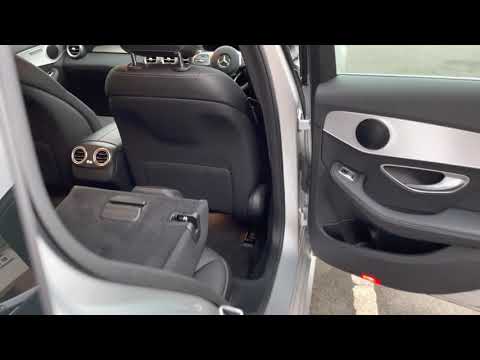
Follow these steps to lower the rear seat backs of the Mercedes C-Class. First, unlock the door latches and open the trunk. On both sides, there is a release button for the seat backs that will allow you to lower them instantly, as shown in the video. To raise the seat backs again, you must do it manually until they latch securely; reclining the seat backs will significantly increase the cargo space! by ScegliAuto More videos
|
|
For advertising on this site Write to info@scegliauto.com
ScegliAuto is not responsible for any inaccuracy of the data in the lists. To report any inaccuracy or your business (if you own the business in question), please write to info@scegliauto.com
Number of seconds to generate the page: 0.053
(c) ScegliAuto 2026 - info@scegliauto.com - Privacy policy VAT number: IT01247470535 |
