
|
Do it yourself
| |||
| ||||


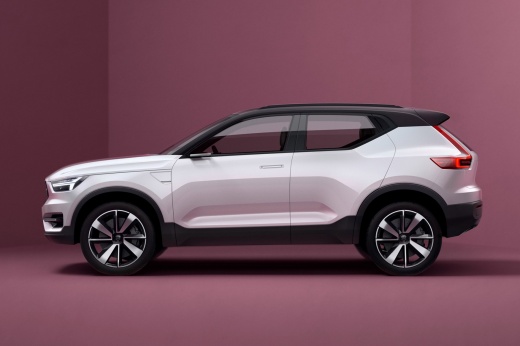
How to Reset the Tire Pressure Monitoring System (TPMS) Light on a Volvo XC40
Model: Volvo Xc40
MK 1
- Years:
2017, 2018, 2019, 2020, 2021, 2022, 2023, 2024, 2025, 2026
Video tutorial
Here are the instructions to reset the Tire Pressure Monitoring System (TPMS) light on a Volvo XC40. Before resetting the TPMS sensors, ensure all four tires are at the proper operating pressure. Then, get inside the vehicle and turn on the instrument cluster. Next, go to the vehicle settings from the central display and select the TPMS option, confirming the recalibration of the tire pressure sensors as shown in the video. Verify that the TPMS light has been successfully reset!
Posted on 15 August 2026 by ScegliAuto
Related tutorials
Volvo Xc40
(2017-2026 /
MK 1)
To reset the tire pressure warning light on the Volvo XC40, you need to inflate the tires until they reach the recommended pressure value: this value…

Volvo Xc40
(2017-2026 /
MK 1)
This guide briefly outlines the steps to reset the tire pressure monitoring system (TPMS) light on the Volvo XC40. Before recalibrating the TPMS sens…

Volvo Xc40
(2017-2026 /
MK 1)
To completely make the tire pressure sensor disappear from the instrument panel of the Volvo XC40, first you will need to inflate the tires, bringing…
Other guides you may be interested in
|
How to Unlock the Gear Shift Lever on a Range Rover Sport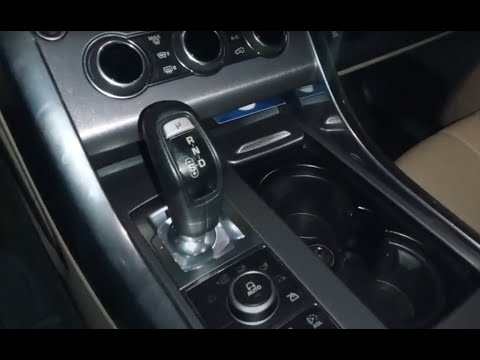
In this video, you will see how to unlock the gear shift on a Land Rover Range Rover Sport with an automatic transmission stuck in "P" mode. First, turn on the ignition and release the parking brake. Then, using a pointed object, lift the plastic covering of the cup holder and remove the six screws that secure the panel hiding the gear shift lever. At this point, you will find a red lever; gently grasp it, lift it, and move it to the "N" position. At this stage of the procedure, you will have unlocked the gear shift and can gradually reassemble the previously removed parts. by ScegliAuto More videos
|
|
For advertising on this site Write to info@scegliauto.com
ScegliAuto is not responsible for any inaccuracy of the data in the lists. To report any inaccuracy or your business (if you own the business in question), please write to info@scegliauto.com
Number of seconds to generate the page: 0.081
(c) ScegliAuto 2026 - info@scegliauto.com - Privacy policy VAT number: IT01247470535 |
