
|
Do it yourself
| |||
| ||||


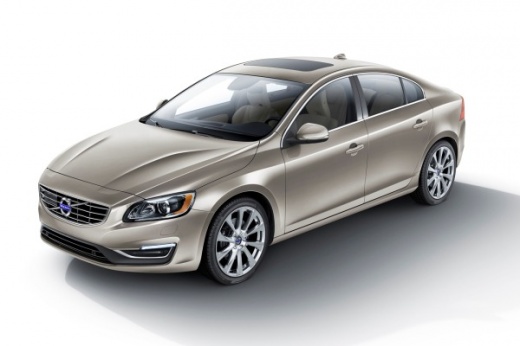
How to Reset the Service and Maintenance Light on a Volvo S60
Model: Volvo S60
MK 2
- Years 2010-2018
We will briefly discover the steps to reset the service light for the routine maintenance oil change on the Volvo S60. First, get in the vehicle and turn on the ignition, navigating to the T1 (or trip 1) option. Turn off the ignition again and hold down the reset button located at the end of the left lever while turning the ignition back on. Wait for the yellow service light to blink until it completely resets, thus completing the maintenance light reset procedure!
Posted on 2 October 2026 by ScegliAuto
Video tutorial
Related tutorials
Volvo S60
(2000-2009 /
MK 1)
In this tutorial we can see how to reset the service in the Volvo S60, an extremely simple and quick operation, to be carried out only after completi…

Volvo S60
(2010-2018 /
MK 2)
In a few simple steps, you will learn how to reset the service light for routine maintenance on the Volvo S60. First, get inside the vehicle and turn…

Volvo S60
(2010-2018 /
MK 2)
In this tutorial we can see how to reset the service in the Volvo S60, an extremely simple and fast operation, to be carried out only after completin…
Other guides you may be interested in |
How to Disable the Eco Mode on the Peugeot 3008
Disabling the Eco mode on the Peugeot 3008 is a simple and quick task to perform, and today you will learn how to do this. To disable the ECO mode, you need to: - turn on the instrument cluster; - press the ECO button located on the window lift control panel; - turn off and then turn on the instrument cluster again; To reactivate the ECO mode, you will need to follow the same steps. The energy-saving mode activates when you need to conserve battery power, especially when the battery does not have enough charge to use all functions. by ScegliAuto More videos
|
|
For advertising on this site Write to info@scegliauto.com
ScegliAuto is not responsible for any inaccuracy of the data in the lists. To report any inaccuracy or your business (if you own the business in question), please write to info@scegliauto.com
Number of seconds to generate the page: 0.081
(c) ScegliAuto 2026 - info@scegliauto.com - Privacy policy VAT number: IT01247470535 |
