
|
Do it yourself
| |||
| ||||



How to Reset the On-Board Computer in a Volvo V70?
Model: Volvo V70
- Years:
2007, 2008, 2009, 2010, 2011, 2012, 2013, 2014, 2015, 2016
Video tutorial
In this tutorial, you can see how to reset the on-board computer in a Volvo V70, a very simple and quick operation, to be performed as a troubleshooting attempt or after a change of ownership. First, go inside the cabin, then insert the key and turn on the instrument panel. Next, press the "MY CAR" button on the central console, enter "My V70", "Settings", "System options", "Reset system options", and confirm your choice. At this point, just wait for the system to restart and check that any issues have been resolved.
Posted on 9 October 2026 by ScegliAuto
Related tutorials
Volvo V70
(2007-2016 /
MK 3)
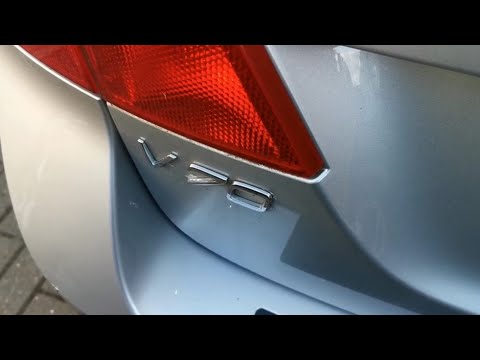
.. In this tutorial, we can see how to reset the onboard computer in the Volvo V70, an extremely simple and quick operation to be performed,.. …
Volvo V70
(2000-2007 /
MK 2)
In this short video tutorial, you will learn how to independently access the OBD2 location port on a Volvo V70. The OBD2 port is essentially the onbo…
…
Other guides you may be interested in
|
AdBlue Tank Fault on Peugeot 2008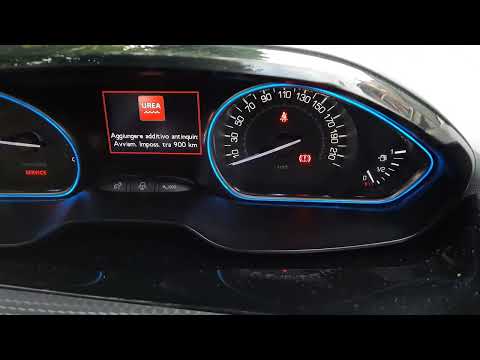
If the instrument cluster of your Peugeot 2008 sends an alarming signal as seen in the video, despite having just filled the AdBlue tank, the problem is not that the tank needs replacing - as authorised workshops simplistically suggest - at a cost of around £1,000. The first thing to do is to remember not to wait for the system to remind you that you are low on AdBlue, but to refill it every 5,000 to 6,000 miles, as the fault lies in the measurement of the tank level. Another good practice is to add an additive (yes, an additive in the additive) such as Tunap 988 (£23.99 on Amazon, with free delivery) which will prevent the AdBlue from crystallising. by ScegliAuto More videos
|
|
For advertising on this site Write to info@scegliauto.com
ScegliAuto is not responsible for any inaccuracy of the data in the lists. To report any inaccuracy or your business (if you own the business in question), please write to info@scegliauto.com
Number of seconds to generate the page: 0.116
(c) ScegliAuto 2026 - info@scegliauto.com - Privacy policy VAT number: IT01247470535 |
