
|
Do it yourself
| |||
| ||||


Model: Yamaha Mt 10
In order to replace the brake pads of the Yamaha MT-10, you need to loosen the screws that fix the calipers to their respective housings located on the front and rear discs: once the calipers have been removed, you will also need to remove the pin that locks the pads inside in order to insert the new pads into the corresponding housing. Once these have been inserted, you can reattach the calipers to their housing to ensure that everything works correctly after the replacement.
Posted on 21 October 2024 by ScegliAuto
Video tutorial
Related tutorials
Mt 10
The instructions illustrated in this guide will allow us to disassemble and replace the rear brake pads of the Yamaha MT-10. First, we put the motorc…

Mt 10
Today, discover the necessary guide to remove and replace the rear wheel or tyre of the Yamaha MT-10 motorcycle by following these simple and quick s…

Mt 10
In this tutorial we can see how to replace the engine oil in the Yamaha MT-10, a very simple and quick operation. First of all, make sure that the en…
|
How to Replace the Battery of the Kymco Agility 125?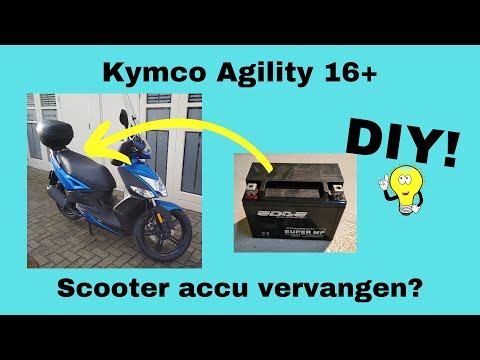
To replace the battery of the Kymco Agility 125, lift the seat to access the compartment underneath. At the rear of the under-seat compartment, you will find the battery under the corresponding panel. By unscrewing the screws that secure the panel, you can access the battery underneath, which must be freed from the corresponding securing screws and the appropriate power cables. Once the device is free, insert the new one, connecting and securing it properly, and cover everything with the panel. by ScegliAuto More videos
|
|
For advertising on this site Write to info@scegliauto.com
ScegliAuto is not responsible for any inaccuracy of the data in the lists. To report any inaccuracy or your business (if you own the business in question), please write to info@scegliauto.com
Number of seconds to generate the page: 0.007
(c) ScegliAuto 2026 - info@scegliauto.com - Privacy policy VAT number: IT01247470535 |
