
|
Do it yourself
| |||
| ||||


How do you reset the V-Belt indicator light on the Yamaha Xmax 250?
Model: Yamaha Xmax 250
Video tutorial
The V-Belt indicator light that appears on the instrument panel of the Yamaha Xmax 250 can be reset by inserting the key into the corresponding lock and turning it to turn on the instrument panel. To reset the indicator light, you will need to pull the lever located at the base of the right handlebar grip towards the inside. By keeping this lever pulled, the indicator light will start flashing until the remaining kilometers until the next replacement are completely reset. Once the kilometers have been increased, you can release the lever and also turn off the instrument panel by turning the key in the opposite direction.
Posted on 1 January 2025 by ScegliAuto
Related tutorials
Xmax 250
To reset the V-Belt light on the Yamaha Xmax 250, turn on the instrument panel by rotating the key in the ignition switch. Once the panel is on, pull…
Xmax 250
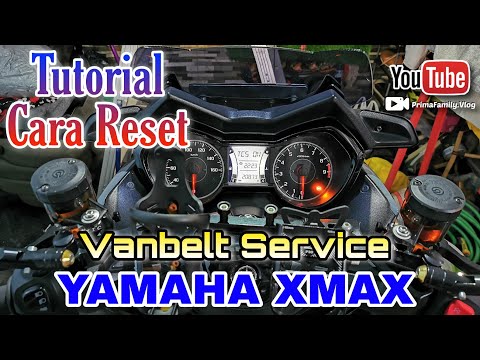
On the Yamaha Xmax 250, to reset the V-Belt light, insert the key into the ignition switch and turn it to switch on the instrument cluster. To reset …

Xmax 250
In this tutorial, you will learn how to reset the service indicator for the drive belt on the Yamaha XMAX 250 scooter, indicated by the V-BELT warnin…
|
How to Clean the Throttle Body on a Piaggio Beverly
In today's video, see how to clean the throttle body on a Piaggio Beverly. This operation applies to all models of the Beverly from 125 to 500 over various years. First, remember to work only with a cold engine to avoid unpleasant burns. Next, remove the seat by unscrewing the appropriate fastening clips. Once done, proceed to remove the scooter's body; find and remove the appropriate fastening clips. At this point, you can carry out the work in question and then reassemble everything as it was. by ScegliAuto More videos
|
|
For advertising on this site Write to info@scegliauto.com
ScegliAuto is not responsible for any inaccuracy of the data in the lists. To report any inaccuracy or your business (if you own the business in question), please write to info@scegliauto.com
Number of seconds to generate the page: 0.007
(c) ScegliAuto 2026 - info@scegliauto.com - Privacy policy VAT number: IT01247470535 |
