
|
Do it yourself
| |||
| ||||


Model: Yamaha Nmax
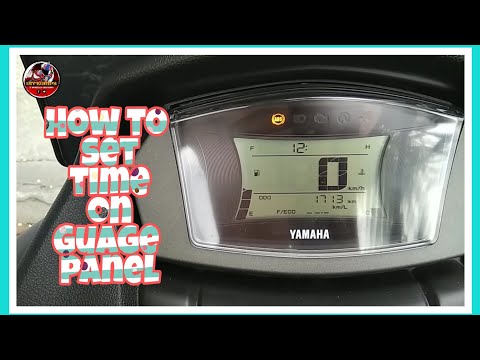
The steps illustrated in this guide will show us how to modify the clock on the display of the instrument panel of the Yamaha Nmax V2 scooter. First, turn on the scooter's instrument panel and start pressing and holding down the turn signal button located on the right side of the handlebar, accessing the clock setting; adjust the hour first and then the minutes, as shown in the video. At this point, exit the clock setting to save the changes made, verifying that the time has been set correctly!
Posted on 3 June 2025 by ScegliAuto
Video tutorial
Related tutorials
Nmax
In this brief and simple guide, learn how to change the time on the instrument display of the Yamaha Nmax scooter. First, place the scooter on its st…

Nmax
In this tutorial, we will see how to set the time on a Yamaha NMAX scooter, a very simple and quick operation to perform, for example, after disconne…
Nmax
To adjust the clock on your Yamaha Nmax, turn on the ignition by turning the key in the ignition switch. Once the dashboard is illuminated, press and…
|
How to Remove the Engine from the Piaggio Vespa GTS 250 - 300
In this guide, you will learn how to remove the engine block from the body of the Piaggio Vespa GTS 250 and GTS 300. First, place your scooter on the centre stand and begin by removing the exhaust silencer by unscrewing the bolts; then, unscrew the central bolt of the wheel hub and remove the entire wheel, as shown in the video. At this point, disconnect the suspension from the engine block by detaching the fuel lines and various wiring; then, remove the engine block, applying the reverse procedure for reassembly! by ScegliAuto More videos
|
|
For advertising on this site Write to info@scegliauto.com
ScegliAuto is not responsible for any inaccuracy of the data in the lists. To report any inaccuracy or your business (if you own the business in question), please write to info@scegliauto.com
Number of seconds to generate the page: 0.048
(c) ScegliAuto 2026 - info@scegliauto.com - Privacy policy VAT number: IT01247470535 |
