
|
Do it yourself
| |||
| ||||


How do you reset the engine light on the Yamaha T Max 530?
Model: Yamaha T Max 530
Video tutorial
The motorcycle visible in the video below is indeed the one mentioned in the subject, namely the Yamaha T Max 530. Specifically, we are talking about the warning lights present on the instrument panel, which are essential for understanding if something is wrong, such as with the engine, service expiration, etc. Regarding the reset of the aforementioned warning lights, which should naturally be done after ensuring that everything is in order, the procedure is as follows: With the instrument panel turned on, press and hold the button located on the side to access the Settings. Scroll through the available options, and when you reach the one of interest, use the same button to enable the reset.
Posted on 23 November 2025 by ScegliAuto
Related tutorials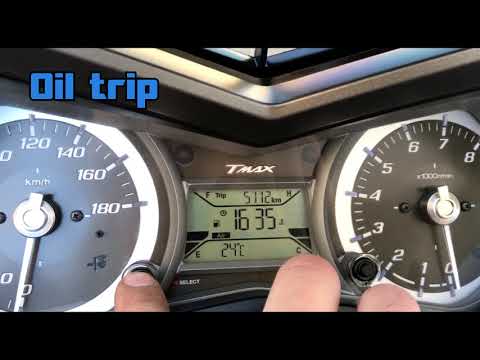
T Max 530
In this tutorial, see how to reset the service on the Yamaha T-MAX 530 scooter, a very simple and quick operation to perform only after completing th…

T Max 530
This video shows the procedure to reset the oil light on the Yamaha T Max 530, as it does not turn off automatically after an oil change. The procedu…

T Max 530
In this tutorial, you will see how to remove the fairings on the Yamaha T-MAX 530 scooter, a simple but rather lengthy operation. First, ensure that …
|
How to Replace the Air Filter on a Honda SH 300i Scooter?
In this tutorial, you will see how to replace the air filter on a Honda SH 300i scooter, a very simple and quick operation. Before proceeding, ensure the engine is completely cold for safety. Start by unscrewing both the 6 screws around the perimeter of the airbox and the 3 bolts of the circular cover, then remove the cover and unscrew the additional screw that has just been freed. Next, separate the box, remove the old filter, and clean the housing of any dirt residue. Finally, follow the reverse procedure to install the replacement. by ScegliAuto More videos
|
|
For advertising on this site Write to info@scegliauto.com
ScegliAuto is not responsible for any inaccuracy of the data in the lists. To report any inaccuracy or your business (if you own the business in question), please write to info@scegliauto.com
Number of seconds to generate the page: 0.007
(c) ScegliAuto 2026 - info@scegliauto.com - Privacy policy VAT number: IT01247470535 |
