
|
Do it yourself
| |||
| ||||


How to Reset the Oil Service on the Yamaha T-MAX 530 Scooter?
Model: Yamaha T Max 530
Video tutorial
In this tutorial, see how to reset the service on the Yamaha T-MAX 530 scooter, a very simple and quick operation to perform only after completing the required scheduled maintenance. Start by inserting the key and turning on the ignition; then reach the service interval by repeatedly pressing the "SELECT" button located to the right of the speedometer. Once done, press and hold the same button once to initiate the reset procedure, and a second time to complete it. Restart the ignition to check that the operation was successful.
Updated on 2 August 2026 by ScegliAuto
Related tutorials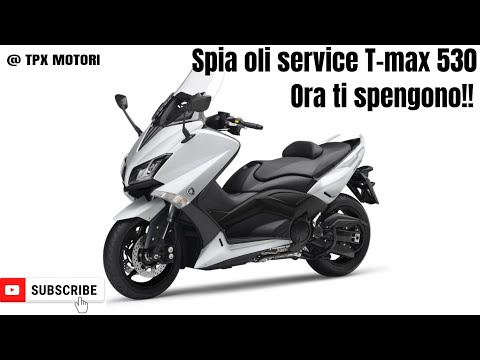
T Max 530
In today's video, we will see how to reset the service light on the Yamaha scooter, specifically the T-Max 530 from 2014. Park the scooter on the sta…

T Max 530
.. Changing the engine oil on a Yamaha TMAX 530 scooter, as shown in this tutorial, is an extremely simple and quick operation. First, wait until.. …

T Max 530
In this video, we see how to reset the service light on the Yamaha T-Max 530: turn on the scooter's dashboard (it is not necessary to start the engin…
|
How to Change the Engine Oil on a BMW R1200T?
To change the engine oil on a BMW R1200T, follow these steps. Ensure the bike is on a level surface and the engine is warm but not too hot. Remove the oil filler cap and the oil drain plug, usually located on the underside of the engine. Position a collection container under the drain plug and unscrew it to fully drain the used oil. Once drained, remove and replace the oil filter, ensuring to clean the mounting surface thoroughly. Install the new filter and screw the oil drain plug back in. Fill the engine with new oil through the filler cap until reaching the recommended amount, checking the level with the dipstick if necessary. Secure both caps tightly. Start the engine for a few minutes to circulate the new oil, then turn it off, and the replacement is complete. by ScegliAuto More videos
|
|
For advertising on this site Write to info@scegliauto.com
ScegliAuto is not responsible for any inaccuracy of the data in the lists. To report any inaccuracy or your business (if you own the business in question), please write to info@scegliauto.com
Number of seconds to generate the page: 0.006
(c) ScegliAuto 2026 - info@scegliauto.com - Privacy policy VAT number: IT01247470535 |
