
|
Do it yourself
| |||
| ||||


|
Model: Yamaha T Max 530
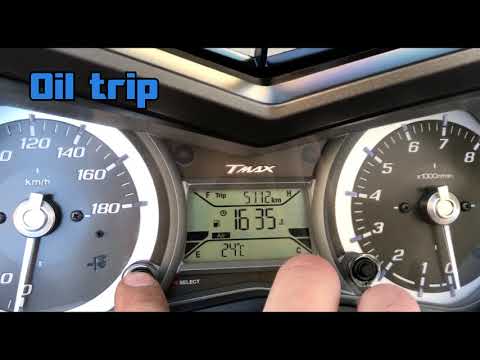
In today's video, we will see how to reset the service light on the Yamaha scooter, specifically the T-Max 530 from 2014. Park the scooter on the stand and begin. First, turn on the ignition and then scroll through the settings in the onboard menu using the appropriate button. Once you find the corresponding option, select it. Proceed to confirm, and after a few seconds, the service reset will be completed. Remember to perform this operation only after carrying out the correct maintenance as per the manufacturer's instructions.
Updated on 23 June 2026 by ScegliAuto
Video tutorial
Related tutorials
T Max 530
In this video, we see how to reset the service light on the Yamaha T-Max 530: turn on the scooter's dashboard (it is not necessary to start the engin…
T Max 530
In this tutorial, see how to reset the service on the Yamaha T-MAX 530 scooter, a very simple and quick operation to perform only after completing th…

T Max 530
The motorcycle visible in the video below is indeed the one mentioned in the subject, namely the Yamaha T Max 530. Specifically, we are talking about…
|
How to Remove the Engine from the Piaggio Vespa GTS 250 - 300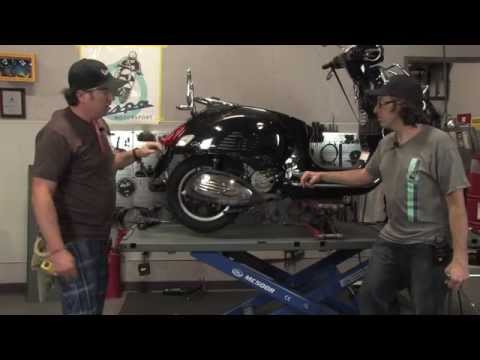
In this guide, you will learn how to remove the engine block from the body of the Piaggio Vespa GTS 250 and GTS 300. First, place your scooter on the centre stand and begin by removing the exhaust silencer by unscrewing the bolts; then, unscrew the central bolt of the wheel hub and remove the entire wheel, as shown in the video. At this point, disconnect the suspension from the engine block by detaching the fuel lines and various wiring; then, remove the engine block, applying the reverse procedure for reassembly! by ScegliAuto More videos
|
|
For advertising on this site Write to info@scegliauto.com
ScegliAuto is not responsible for any inaccuracy of the data in the lists. To report any inaccuracy or your business (if you own the business in question), please write to info@scegliauto.com
Number of seconds to generate the page: 0.202
(c) ScegliAuto 2026 - info@scegliauto.com - Privacy policy VAT number: IT01247470535 |
