
|
Do it yourself
| |||
| ||||


|
Model: Yamaha Nmax 125
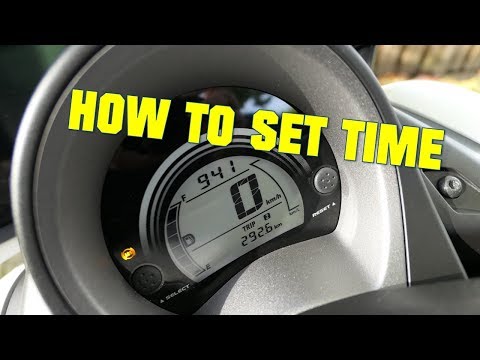
In this guide, we will see the instructions to adjust the clock on the display of the Yamaha Nmax 125 scooter's instrument panel. First, place the scooter on its stand and turn on the instrument panel; then press the button located behind the brake lever for a few seconds to enter the clock setting mode, as shown in the video. At this point, adjust the hour and then the minutes; press the button again to exit the settings menu, thus saving the changes!
Posted on 11 February 2026 by ScegliAuto
Video tutorial
Related tutorials
Nmax 125
If the time displayed on the central panel of your Yamaha NMax 125 is incorrect and you want to manually change it, all you have to do is follow thes…
Nmax 125
To set the clock on the Yamaha Nmax 125, turn on the instrument panel by rotating the appropriate key in the ignition switch. Once the panel is on, p…

Nmax 125
Following these short and simple steps, we will see how to disassemble and replace the battery of the Yamaha Nmax 125 scooter. First of all, put the …
|
How to Replace the Coolant in the Piaggio Medley 125?
To replace the coolant in the Piaggio Medley 125, loosen the screws securing the side grille of the scooter to remove it and access the radiator underneath. At the base of the radiator, locate the drain plug, which must be unscrewed to allow the coolant to flow into a suitably positioned container. Next, open the under-seat compartment and locate the coolant refill cap: by opening this cap, you can insert the new coolant. by ScegliAuto More videos
|
|
For advertising on this site Write to info@scegliauto.com
ScegliAuto is not responsible for any inaccuracy of the data in the lists. To report any inaccuracy or your business (if you own the business in question), please write to info@scegliauto.com
Number of seconds to generate the page: 0.005
(c) ScegliAuto 2026 - info@scegliauto.com - Privacy policy VAT number: IT01247470535 |
