
|
Do it yourself
| |||
| ||||


Model: Yamaha Ray Zr
In this tutorial, see how to reset the service on a Yamaha RayZR scooter, an extremely simple and quick operation, to be performed only after completing all scheduled maintenance tasks. First, insert the key, then turn on the instrument panel, scroll through the various display screens using the button in the centre of the dashboard, and reach the mileage related to the service. Next, press and hold the same button until the interval starts to flash, hold it down a second time and release it upon completion of the reset.
Posted on 13 March 2026 by ScegliAuto
Video tutorial
Related tutorials
Ray Zr
In this tutorial, see how to set the time on the Yamaha RayZR scooter, a very simple and quick operation to perform, for example, after disconnecting…

Ray Zr
In this tutorial, you will see how to change the engine oil in a Yamaha RayZR scooter, a very simple and quick operation. First, wait until the engin…

Ray Zr
In this tutorial, you will see how to change the engine oil on the Yamaha RayZR scooter, a very simple and quick operation. First, ensure that the en…
|
Change the Bulb on a Piaggio Beverly 500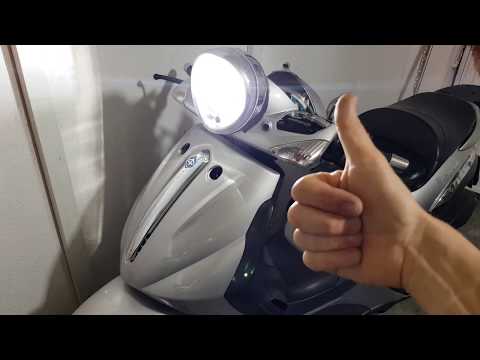
To change the bulb on the Beverly 500, be very careful and ensure you get the correct H4 bulb with the notch, as pointed out by the YouTuber. He made a mistake buying it and had to do a complicated job to adapt it. But you just need to buy the right one - check it carefully before purchasing. We found one that costs £25.99 and it looks just like his. Always remember not to touch the bulb with your hands, or you will damage it. At this point, simply remove the rear cover of the dashboard and reassemble it. Replace the cover and you're done. by ScegliAuto More videos
|
|
For advertising on this site Write to info@scegliauto.com
ScegliAuto is not responsible for any inaccuracy of the data in the lists. To report any inaccuracy or your business (if you own the business in question), please write to info@scegliauto.com
Number of seconds to generate the page: 0.006
(c) ScegliAuto 2026 - info@scegliauto.com - Privacy policy VAT number: IT01247470535 |
