
|
Do it yourself
| |||
| ||||


|
Model: Yamaha Tricity 300
In this brief and simple guide, follow the steps to remove and replace the rear tyre and wheel rim of the Yamaha TriCity scooter. First, place your scooter on the centre stand and start by loosening the central nut of the wheel spindle. Next, remove the bolts from the rear swingarm and the plastic cover of the casing, as shown in the video. At this point, disconnect the suspension and remove the wheel. Then, take off the tyre from the rim by deflating it, replace it with the new one, and reassemble everything!
Updated on 10 July 2026 by ScegliAuto
Video tutorial
Related tutorials
Tricity 300
In this brief and simple guide, remove and replace the rear-view mirror on your Yamaha Tricity scooter. First, place the scooter on its centre stand …
Tricity 300
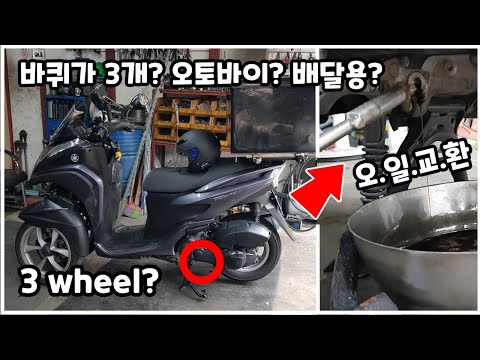
In this tutorial, you will see how to change the engine oil in a Yamaha TriCity scooter, a very simple and quick operation to perform every approxima…

Tricity 300
In order to set the clock of the Yamaha Tricity 300, you need to turn on the instrument panel by inserting the ignition key into the corresponding sl…
|
How to Replace the Coolant in the Piaggio Medley 125?
To replace the coolant in the Piaggio Medley 125, loosen the screws securing the side grille of the scooter to remove it and access the radiator underneath. At the base of the radiator, locate the drain plug, which must be unscrewed to allow the coolant to flow into a suitably positioned container. Next, open the under-seat compartment and locate the coolant refill cap: by opening this cap, you can insert the new coolant. by ScegliAuto More videos
|
|
For advertising on this site Write to info@scegliauto.com
ScegliAuto is not responsible for any inaccuracy of the data in the lists. To report any inaccuracy or your business (if you own the business in question), please write to info@scegliauto.com
Number of seconds to generate the page: 0.067
(c) ScegliAuto 2026 - info@scegliauto.com - Privacy policy VAT number: IT01247470535 |
