
|
Do it yourself
| |||
| ||||


How to Reset the Oil Light on the Yamaha X-Max 250
Model: Yamaha X Max
Video tutorial
In this video, you can see how to reset the oil light on a Yamaha X-Max 250 scooter. Turn the key and it will immediately show the oil change message. The YouTuber has already completed the service, so proceed with the reset using the "trip" button on the right handlebar, scrolling to the total mileage. In the centre of the instrument cluster, there is a "reset" button; press it for three seconds, and the mileage will start to flash. Press the "reset" button again for another 15 to 20 seconds. If you hold it for less than 15 seconds or more than 20, the oil reset will not occur, so be precise. Turn off the ignition, and the operation is complete.
Updated on 29 August 2026 by ScegliAuto
Related tutorials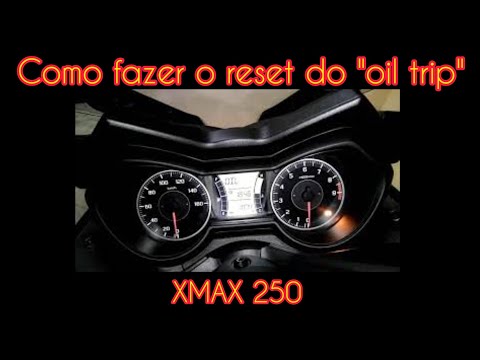
X Max
.. will see how to reset the service on a Yamaha X-Max 250. In this specific case, the YouTuber had the service done at a dealership but forgot to reset.. …

X Max
Let’s see how to reset the service light on a Yamaha X-Max: Insert the key into the instrument panel without starting the engine. Then press the "sel…

X Max
This video tutorial shows the procedure to reset the oil light on the Yamaha X Max. The procedure is very simple and quick. To perform this procedure…
|
How to Clean the Throttle Body on a Piaggio Beverly
In today's video, see how to clean the throttle body on a Piaggio Beverly. This operation applies to all models of the Beverly from 125 to 500 over various years. First, remember to work only with a cold engine to avoid unpleasant burns. Next, remove the seat by unscrewing the appropriate fastening clips. Once done, proceed to remove the scooter's body; find and remove the appropriate fastening clips. At this point, you can carry out the work in question and then reassemble everything as it was. by ScegliAuto More videos
|
|
For advertising on this site Write to info@scegliauto.com
ScegliAuto is not responsible for any inaccuracy of the data in the lists. To report any inaccuracy or your business (if you own the business in question), please write to info@scegliauto.com
Number of seconds to generate the page: 0.007
(c) ScegliAuto 2026 - info@scegliauto.com - Privacy policy VAT number: IT01247470535 |
