
|
Do it yourself
| |||
| ||||


|
Model: Yamaha Xmax 300
To manually reset the oil warning light on the central display of your Yamaha Xmax 300, follow the procedure described in this dedicated guide. First, insert the key and turn it to the second position to start the instrument panel in diagnostic mode. Next, locate the button situated at the bottom of the right knob and hold it down until the oil warning light starts to flash. Finally, press and hold it again and wait for the reset of the warning light to complete.
Updated on 31 August 2026 by ScegliAuto
This video is currently unavailable
Related tutorials
Xmax 300
Resetting the oil warning light on your Yamaha Xmax 300 is really very simple. To complete the operation, just carefully read the procedure below and…

Xmax 300
To carry out the manual reset of the engine oil light on the central panel of your Yamaha XMax 300, simply follow the procedure described in this new…

Xmax 300
To reset the service light related to the oil change on a Yamaha XMAX 300, turn on the ignition and press the button on the handlebar to access the v…
|
How to replace the coolant in the BMW S1000 R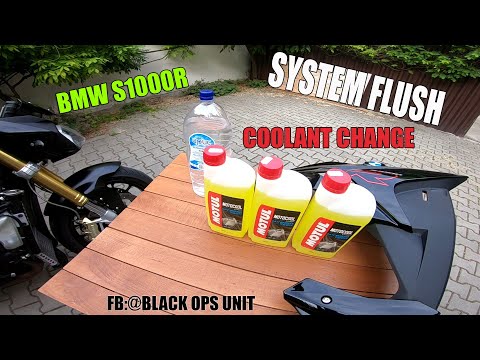
Today, we will see in this video tutorial how to bleed and replace the coolant in the BMW S1000 R motorcycle. First, place your motorcycle on a stand and start unscrewing the bleed screw located on the water pump casing, found at the bottom right; let the fluid drain into a container for about ten minutes. Now, unscrew the radiator cap and top up with the new coolant, the correct type for your radiator; fill it to the maximum level mark, starting the engine to circulate the fluid! by ScegliAuto More videos
|
|
For advertising on this site Write to info@scegliauto.com
ScegliAuto is not responsible for any inaccuracy of the data in the lists. To report any inaccuracy or your business (if you own the business in question), please write to info@scegliauto.com
Number of seconds to generate the page: 0.006
(c) ScegliAuto 2026 - info@scegliauto.com - Privacy policy VAT number: IT01247470535 |
