Do it yourself
Frequently asked questions about cars and motorcycles
  1. Car
  2. :
  3. Alfa Romeo
  4. :
  5. Mito
  6. : Power window motor

Alfa Romeo Mito - Power window motor

Power Window Motor Alfa Romeo Mito (2008-2018 / mk 1)

Alfa Romeo Mito (2008-2018 / MK 1)
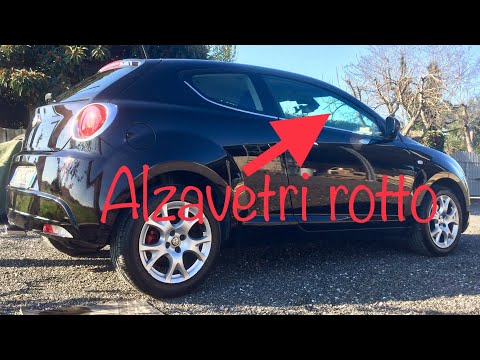
How to Replace the Window Regulator on an Alfa Romeo Mito

To replace the window regulator on an Alfa Romeo Mito, start by removing the door panel. Take off the outer part of the door handle, then remove the courtesy …Read all…
Posted on 20 July 2026 by ScegliAuto
Alfa Romeo Mito (2008-2018 / MK 1)
Removing the Window Regulator on Alfa Romeo Mito

Remove the window regulator mechanism from the Alfa Romeo Mito. Unscrew the securing screws on the handle located on the door panel, then unscrew the other …Read all…
Posted on 15 May 2026 by ScegliAuto

Cigarette lighter (1) Airbag (5) Speaker (1) Antenna (1) Car stereo (8) Air vents (3) Bushings (1) Spark plugs (2) Glow plugs (1) Body (1) Control unit (1) Key (3) Trunk lock (1) Timing belt (9) Onboard computer (3) Checks and maintenance (11) Dashboard (3) Shifter boot (1) Bearing (1) Electric cooling fan (1) Headlight (5) Tail light (5) Air filter (4) Cabin air filter (3) Diesel fuel filter (1) Clutch (2) Accessory kit (2) Light bulb (9) Side marker bulb (1) Headlight bulb (13) Tail light bulb (1) Instrument panel light (2) License plate light (3) Handle (3) Power window motor (2) Transmission fluid (1) Engine oil (2) Clock (1) Door trim panel (5) Front bumper (5) Rear bumper (7) Brake pads (2) Hydraulic pistons (1) Shift knob (2) Car door (1) Power window switch (1) Instrument cluster (1) Radiator (1) Wheel (1) Fuse box (22) Seat (3) Door lock (1) Side mirror (6) Rearview mirror (1) Warning light – error code (4) Service warning light (11) Manufacturer emblem (5) Windshield wipers (3) Center console tunnel (2) Blower motor (2)

How to set the clock on the Vespa 125 Primavera?

To set the clock on the Vespa 125 Primavera, press and hold the black button located just below the black knob on the bike: keep the button pressed until the hour number starts to flash. Once it is flashing, you can change the hours with single presses of the same button; then, by pressing and holding the button again, the hour number will stop flashing and the minute number will start to flash, which can be modified in the same way, confirming the input by holding the button.

Watch the video!


by ScegliAuto

More videos