
|
Do it yourself
| |||
| ||||


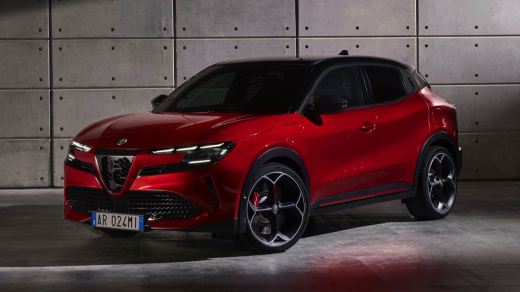
How to reset the service light on the Alfa Romeo Junior.
Model: Alfa Romeo Junior
MK 1
- Years:
2024, 2025, 2026
Video tutorial
If you have recently serviced your Alfa Romeo Junior, but the related warning message continues to appear on the instrument cluster display, then all you need to do is read the following guide and apply what is described. First, enter the cabin and insert the key, then press and hold the button located at the end of the left lever on the steering wheel while simultaneously starting the instrument cluster. At this point, a brief countdown of ten seconds will begin, and wait for it to finish. Finally, release the button on the steering wheel lever, and you are done.
Posted on 30 November 2025 by ScegliAuto
Related tutorials
Alfa Romeo Junior
(2024-2026 /
MK 1)
In this video, we will show you how to reset the tyre pressure light on the Alfa Romeo Junior. As suggested by the YouTuber, when the light comes on,…
Other guides you may be interested in
|
How to Reset the Tyre Pressure Warning Light on the Opel Mokka?
To reset the tyre pressure warning light on the Opel Mokka, turn on the ignition by inserting the key into the ignition switch. Once the ignition is on, navigate through the menu that appears on the dashboard by pressing the MENU button on the lever to the left of the steering wheel. When the tyre pressure option appears, press and hold the SET/CLR button located on the same lever. This will reset the warning light, and you can then turn off the ignition. by ScegliAuto More videos
|
|
For advertising on this site Write to info@scegliauto.com
ScegliAuto is not responsible for any inaccuracy of the data in the lists. To report any inaccuracy or your business (if you own the business in question), please write to info@scegliauto.com
Number of seconds to generate the page: 0.102
(c) ScegliAuto 2026 - info@scegliauto.com - Privacy policy VAT number: IT01247470535 |
