
|
Do it yourself
| |||
| ||||


|
Today we will explain how to adjust the time and date on an Audi A2 car. To adjust the time and date, we need to turn on the car's instrument panel and then press the button to the right of the tachometer. By pressing the button, the clock will start flashing and by turning the same button clockwise or counterclockwise, we set the desired time, press the button to confirm and move on to adjust the minutes. Once the time settings are done, we move on to setting the date using the same button in the same way. After completing the operation, we turn off and on the instrument panel to confirm.
Posted on 3 December 2024 by ScegliAuto
Video tutorial
Related tutorials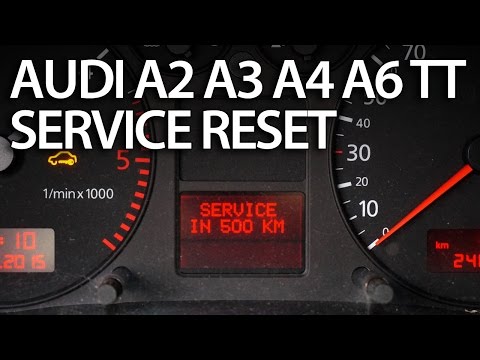
Audi A2
(1999-2005 /
MK 1)
We follow the instructions in the video to reset the service light on the Audi A2. We observe the dashboard of our car and locate the odometer button…

Audi A2
(1999-2005 /
MK 1)
The fuses of the Audi A2 are located inside the fuse box. This is located inside the passenger compartment, more precisely in the footrest compartmen…

Audi A2
(1999-2005 /
MK 1)
Any fuse of the Audi A2 is located inside the appropriate fuse box. The fuse box is located inside the passenger compartment, more precisely beside t…
Other guides you may be interested in
|
How to Change the Brake Pads on a Volkswagen New Beetle
Learn how to change the front brake pads on a Volkswagen New Beetle. First, lift the car on a column lift to the desired height, then remove the wheel (using a telescopic spanner or air impact wrench) along with the respective bolts. Unscrew the locking bolt of the brake caliper, remove it from the wheel hub support, and detach the pads from the brake caliper using a screwdriver. Install the new pads on the brake caliper and refit the brake caliper to the support; tighten all bolts and remount the wheel. Proceed to perform the same operations on the other calipers present on the vehicle. by ScegliAuto More videos
|
|
For advertising on this site Write to info@scegliauto.com
ScegliAuto is not responsible for any inaccuracy of the data in the lists. To report any inaccuracy or your business (if you own the business in question), please write to info@scegliauto.com
Number of seconds to generate the page: 0.100
(c) ScegliAuto 2026 - info@scegliauto.com - Privacy policy VAT number: IT01247470535 |
