
|
Do it yourself
| |||
| ||||


How to reset the tire pressure sensor on the Audi Q3
Model: Audi Q3
8U
- Years 2011-2018
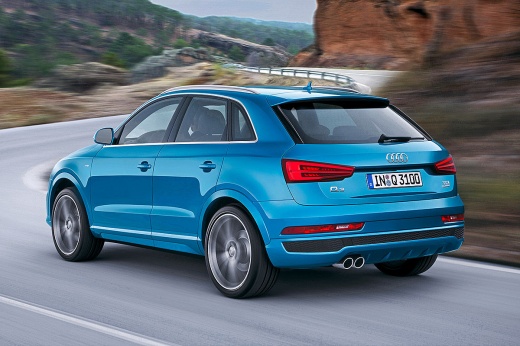
If when you turn on the instrument panel of your first series Audi Q3, you notice that the tire pressure warning light remains on even though there is no puncture, then you must proceed with the manual reset of the warning light. Let's find out together how to perform the operation. First of all, get into the car and start the instrument panel, then press the settings button and click on the "Car" icon. Then select the "Servicing & Checks" option and click on "Tire pressure monitoring". Once you have entered the new menu screen, confirm the reset of the warning light and a few moments later you have finished.
Posted on 11 January 2025 by ScegliAuto
Video tutorial
Related tutorials
Audi Q3
(2018-2025 /
F3)
In this article we will see how to reset the tire pressure warning light on the Audi Q3. To reset this warning light, first start the instrument pane…

Audi Q3
(2011-2018 /
8U)
In this tutorial, we can see how to reset the tire pressure light in the Audi Q3, an extremely simple and quick operation, to be carried out only aft…

Audi Q3
(2011-2018 /
8U)
In this tutorial we can see how to reset the tire pressure warning light in the Audi Q3, an extremely simple and quick operation, to be done only onc…
Other guides you may be interested in |
Frequently Asked QuestionsHow to Replace the Fan Resistor on a Renault Scenic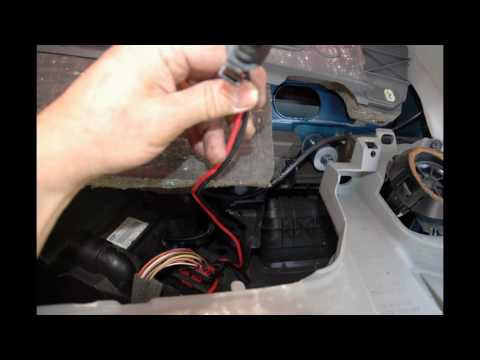
How to replace the fan resistor on a Renault Scenic. In this video, learn how to perform the disassembly: use a lever to remove the plastic under the glove compartment, and unscrew the cover (where the resistor is located) with a screwdriver. Disconnect the large connector of the resistor, then pull it out from the cabin. Insert a new fan resistor (connect the power connector). Finally, refit the cover and tighten the screws. Check the correct assembly of the previously fitted parts and test the correct operation of the fan. by ScegliAuto More videos
|
|
For advertising on this site Write to info@scegliauto.com
ScegliAuto is not responsible for any inaccuracy of the data in the lists. To report any inaccuracy or your business (if you own the business in question), please write to info@scegliauto.com
Number of seconds to generate the page: 0.047
(c) ScegliAuto 2026 - info@scegliauto.com - Privacy policy VAT number: IT01247470535 |
