
|
Do it yourself
| |||
| ||||


|
In this video, we see how to change the time on the clock of the Audi A3/RS3 version 8P: we turn on the dashboard and then press the button located at the bottom of the lever to the right of the steering wheel, with which we will scroll through the various options on the display. When we reach the screen where there is the "settings" option, we select it. In the submenu that opens, we will find the clock as the first option. We immediately enter editing mode, starting with the time: we then choose whether we are interested in the 12 or 24-hour format and then move on to modify the date: here too we can choose the format. To confirm, just go back.
Posted on 6 July 2025 by ScegliAuto
Video tutorial
Related tutorials
Audi A3
(2020-2026 /
8Y, MK 4)
The car presented in this video is an Audi RS3, which is the most powerful version of the Audi A3. Not only in this car, but also in other vehicles o…

Audi A3
(2012-2019 /
MK 3, 8V)
In this tutorial we can see how to reset the tire pressure warning light in the Audi RS3, an extremely simple and quick operation, to be carried out …
Audi A3
(2012-2019 /
MK 3, 8V)
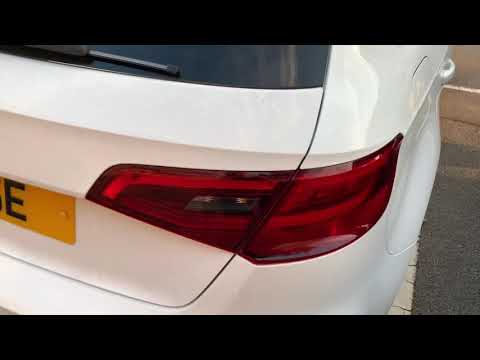
The guide shows how to disassemble the rear light of the Audi A3, both in the S3 and RS3 versions. The first operation to be carried out is to open t…
Other guides you may be interested in
|
How to Replace the Timing Belt on a Lancia Delta
How do you replace the timing belt on a Lancia Delta? Lift the car on a column lift. Open the bonnet, remove the engine soundproofing panel and the metal timing belt cover. Using a suitable spanner, loosen the tensioner pulley and slide the belt off its seat. After fitting the new belt, use the spanner to tension the tensioner pulley, tightening until the belt has the correct tension (as previously installed). Finally, check the tensioner and the belt itself, and tighten everything with a socket wrench. by ScegliAuto More videos
|

|
For advertising on this site Write to info@scegliauto.com
ScegliAuto is not responsible for any inaccuracy of the data in the lists. To report any inaccuracy or your business (if you own the business in question), please write to info@scegliauto.com
Number of seconds to generate the page: 0.107
(c) ScegliAuto 2026 - info@scegliauto.com - Privacy policy VAT number: IT01247470535 |
