
|
Do it yourself
| |||
| ||||


Service reset on an Audi Q5
Model: Audi Q5
MK 2, 80A
- Years 2017-2025
Today we will see how to reset the service on an Audi Q5, model produced from 2018 to 2020. Let's start the operation by turning on the car's ignition, then we go to press the home button located on the central console tunnel to open the menu on the multimedia display. Once done, we use the selection knob to click on the "vehicle" option and then press the button to the left of the knob to open the drop-down menu as shown in the video. Now we select the options "controls and service", "service interval", "reset oil change interval" and finally confirm the operation to complete the job.
Posted on 3 October 2025 by ScegliAuto
Video tutorial
Related tutorials
Audi Q5
(2008-2017 /
8R, MK 1)
Audi vehicles always have two fuse boxes inside. In Audi Q5 vehicles, there are two fuse boxes located in the same positions as in Audi A4 and Audi A…
Audi Q5
(2017-2025 /
MK 2, 80A)
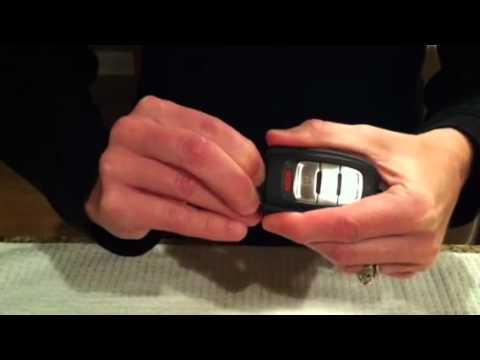
Let's see how to remove the battery in the remote control key on Audi Q5. We take the Audi car key and press the button to pop out the metal key. Onc…

Audi Q5
(2017-2025 /
MK 2, 80A)
In this video, we will see how to set the time on an Audi Q5, specifically, but more generally on most Audi cars: we activate the MMI display, and th…
Other guides you may be interested in |
How to Remove the Fuel Pump from the Tank on an Opel Astra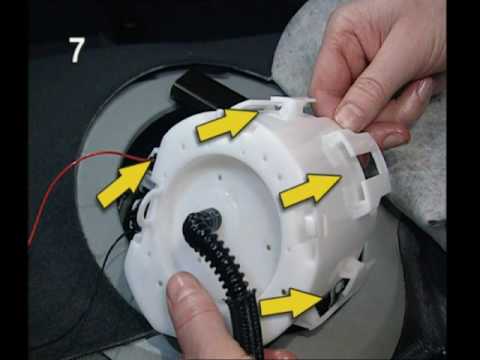
How to remove the fuel pump from the tank on an Opel Astra? First, disconnect the battery cables. Next, remove the rear seat cushions from the car. Use a socket spanner to unscrew the securing screws of the metal cap (located on the metal panel), then remove it from its seat. Use absorbent paper around the perimeter to soak up any liquid leaks. Unscrew the large securing bolt of the fuel pump (if present on the model), disconnect the power connectors and the liquid circulation pipes. Extract the floating fuel pump from its seat along with any attached parts. Finally, refit a new piece. by ScegliAuto More videos
|

|
For advertising on this site Write to info@scegliauto.com
ScegliAuto is not responsible for any inaccuracy of the data in the lists. To report any inaccuracy or your business (if you own the business in question), please write to info@scegliauto.com
Number of seconds to generate the page: 0.045
(c) ScegliAuto 2026 - info@scegliauto.com - Privacy policy VAT number: IT01247470535 |
