
|
Do it yourself
| |||
| ||||


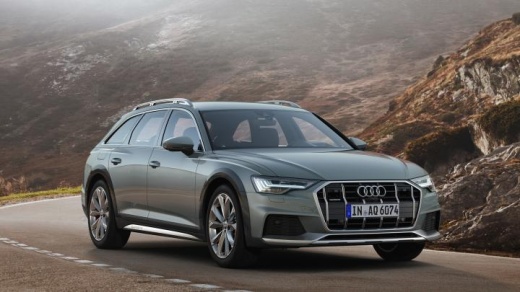
How to customize the MMI display
Model: Audi A6
MK 5, C8
- Years:
2018, 2019, 2020, 2021, 2022, 2023, 2024, 2025, 2026
Video tutorial
Let's see in this video how to customize the upper display of our Audi: the vehicle must be in "park" and with the ignition on. We can modify the tactile feedback of the display by selecting "settings," then "display brightness," then "mmi," and then "touch screen feedback," enabling one of the three different sensitivities. Additionally, the symbols on the upper display can be moved between screens according to our needs by holding down the button for three seconds and dragging it to the desired position; other buttons can be added; only the "home" button cannot be moved. To reassign buttons, we hold it down and move it to the quick access bar. To get additional information about a notification, we press the icon and swipe; to delete it, we swipe to the right.
Posted on 15 December 2025 by ScegliAuto
Related tutorials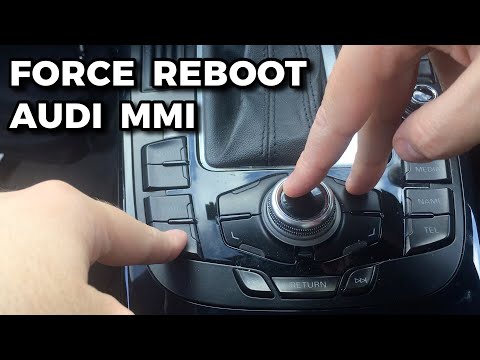
Audi A6
(2018-2026 /
MK 5, C8)
The MMI multimedia entertainment system installed in Audi vehicles can be easily reset using just three buttons. These are located on the center cons…

Audi A6
(2004-2012 /
C6, MK 3)
Don't panic. Repairing the MMI (Multi Media Interface) of a 2008 Audi A6 C6 may seem complicated, but with a little patience it can be done. First of…

Audi A6
(2011-2018 /
C7, MK 4)
In this guide we will see the main instructions that will allow us to update the navigator and maps of the MMI system of the Audi A6. First of all, w…
Other guides you may be interested in |
How to Reset the Tyre Pressure Warning Light on a Kia Rio?
The tyre pressure warning light displayed on the instrument cluster of the Kia Rio can be reset by inflating the tyres until they reach the recommended pressure value: this value is indicated on the sticker affixed to the driver's door pillar. Once all tyres have been inflated to the recommended pressure, turn on the ignition to check that the light has disappeared: if it is still present, it may be necessary to drive for a few miles, allowing the sensors to work and thus turning off the light. by ScegliAuto More videos
|
|
For advertising on this site Write to info@scegliauto.com
ScegliAuto is not responsible for any inaccuracy of the data in the lists. To report any inaccuracy or your business (if you own the business in question), please write to info@scegliauto.com
Number of seconds to generate the page: 0.038
(c) ScegliAuto 2026 - info@scegliauto.com - Privacy policy VAT number: IT01247470535 |
