
|
Do it yourself
| |||
| ||||



How to Reset the On-Board Computer in an Audi A5 8T?
Model: Audi A5
- Years:
2007, 2008, 2009, 2010, 2011, 2012, 2013, 2014, 2015, 2016
Video tutorial
To perform a complete reset of the on-board computer in your Audi A5 8T (produced between 2007 and 2016), first turn on the dashboard and then open the on-board computer menu by pressing the CAR button located at the bottom of the central console next to the gear lever. After this, navigate through the various options and select "Instrument cluster" followed by "on-board computer 1". Now, simply select "reset" to complete the operation.
Posted on 10 November 2026 by ScegliAuto
Related tutorials
Audi A5
(2007-2016 /
8T8, 8T, 8T3, 8F)
This brief guide will provide the main instructions on how to reset the service light for the regular maintenance oil change on the Audi A5. First, g…

Audi A5
(2018-2025 /
8W6)
To manually reset the TPMS light on your 2018 Audi A5, follow the step-by-step instructions in this mini guide. First, enter the cabin and start both…

Audi A5
(2018-2025 /
8W6)
To reset the tyre pressure light on an Audi A5, turn on the ignition without starting the engine and use the dial located on the centre console to ac…
Other guides you may be interested in
|
How to Reset the Tyre Pressure Light on a Cupra Formentor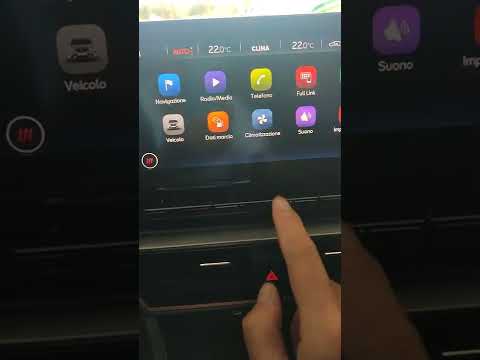
In this brief and simple video tutorial, learn how to reset the tyre pressure on a Cupra Formentor. Start by pressing the ignition button to turn on the instrument cluster. Now, use the touchscreen display on the central console to open the car menu. From here, select the driving data option, then the tyre pressure option. Now, click on the "SET" button with the pressure warning symbol and confirm the correct tyre pressure required by the manufacturer to perform the reset. by ScegliAuto More videos
|
|
For advertising on this site Write to info@scegliauto.com
ScegliAuto is not responsible for any inaccuracy of the data in the lists. To report any inaccuracy or your business (if you own the business in question), please write to info@scegliauto.com
Number of seconds to generate the page: 0.107
(c) ScegliAuto 2026 - info@scegliauto.com - Privacy policy VAT number: IT01247470535 |
