
|
Do it yourself
| |||
| ||||


How to Replace the Center High Mount Stop Lamp LED on an Audi A6
Model: Audi A6
C6, MK 3
- Years:
2004, 2005, 2006, 2007, 2008, 2009, 2010, 2011, 2012
Video tutorial
To replace the LED in the center high mount stop lamp on an Audi A6, first, open the trunk and locate the rear position of the stop lamp assembly. Once located, facilitate access to it. After disconnecting the power supply to the stop lamps, unlock the stop lamp assembly using a screwdriver by acting on the clips that hold it in place, and pull it out from the outer side of its housing. Replace the old lamp assembly with the new one (if necessary, clean the electrical contacts), verify the proper operation of the new element, and then reassemble everything by reversing the steps previously taken.
Updated on 20 March 2026 by ScegliAuto
Related tutorials
Audi A6
(2004-2012 /
C6, MK 3)
Today we will see the instructions that will allow us to disassemble and replace the third brake light bulbs of the Audi A6. First, we open the rear …

Audi A6
(1997-2004 /
MK 2, C5)
These simple steps will allow you to remove the third brake light assembly and replace its bulbs on an Audi A6. First, open the trunk of the vehicle …
Audi A6
(2018-2026 /
MK 5, C8)
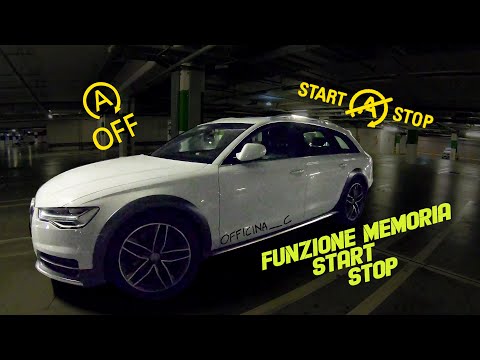
In this tutorial, you will see how to permanently disable Start&Stop in the Audi A6 Allroad, a very simple operation to perform if you find the syste…
Other guides you may be interested in |
How to Activate the Automatic Folding and Unfolding of the Wing Mirrors on the Jeep Compass
Follow these brief instructions to activate the automatic folding and unfolding of the external wing mirrors on the Jeep Compass. First, get inside the vehicle and turn on the ignition; then press the button located beneath the mirror glass adjustment to electrically open the mirror, as shown in the video. Pressing the button in the opposite direction will close the mirrors; by holding the button, the mirrors will open and close automatically! by ScegliAuto More videos
|
|
For advertising on this site Write to info@scegliauto.com
ScegliAuto is not responsible for any inaccuracy of the data in the lists. To report any inaccuracy or your business (if you own the business in question), please write to info@scegliauto.com
Number of seconds to generate the page: 0.033
(c) ScegliAuto 2026 - info@scegliauto.com - Privacy policy VAT number: IT01247470535 |
