
|
Do it yourself
| |||
| ||||


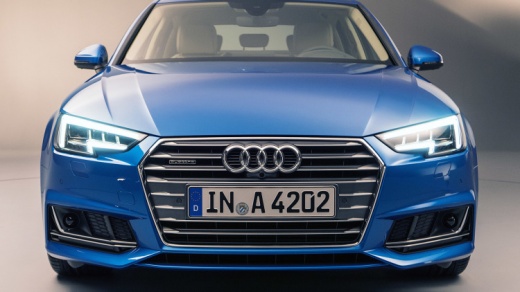
How to Connect Your Phone to Audi A4
Model: Audi A4
B9
- Years:
2014, 2015, 2016, 2017, 2018, 2019, 2020, 2021, 2022, 2023, 2024
Video tutorial
How to connect your smartphone to Audi A4? Let's see how to do it. Open the car's door, sit in the driver's seat, and turn on the touchscreen multimedia system with the designated button. Connect your smartphone to the car's USB port (using a USB cable or via Bluetooth). Once connected, use the buttons on the car radio's touchscreen to access various apps (download apps for Android or Apple). After use, turn off the multimedia system. Use your smartphone settings while parked to ensure your safety.
Updated on 28 March 2026 by ScegliAuto
Related tutorials
Audi A4
(2007-2016 /
B8)
The Multi Media Interface (MMI) is an in-car user interface multimedia system developed and introduced by Audi. It consists of a single integrated in…
Audi A4
(2014-2024 /
B9)
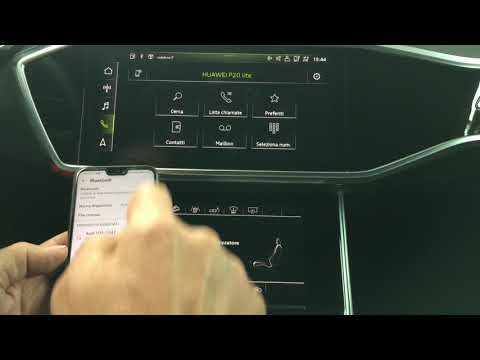
First, operate on your cellphone by turning on Bluetooth and ensuring it is visible to external devices (like your car's system). Now, on the main sc…

Audi A4
(2000-2004 /
B6)
In this video, we see how to change the car radio of an Audi A4 B6 from 1DIN to 2DIN: first of all, we remove the radio from its slot with special ke…
Other guides you may be interested in |
Frequently Asked QuestionsHow to Activate the Automatic Folding and Unfolding of the Wing Mirrors on the Jeep Compass
Follow these brief instructions to activate the automatic folding and unfolding of the external wing mirrors on the Jeep Compass. First, get inside the vehicle and turn on the ignition; then press the button located beneath the mirror glass adjustment to electrically open the mirror, as shown in the video. Pressing the button in the opposite direction will close the mirrors; by holding the button, the mirrors will open and close automatically! by ScegliAuto More videos
|
|
For advertising on this site Write to info@scegliauto.com
ScegliAuto is not responsible for any inaccuracy of the data in the lists. To report any inaccuracy or your business (if you own the business in question), please write to info@scegliauto.com
Number of seconds to generate the page: 0.020
(c) ScegliAuto 2026 - info@scegliauto.com - Privacy policy VAT number: IT01247470535 |
