
|
Do it yourself
| |||
| ||||


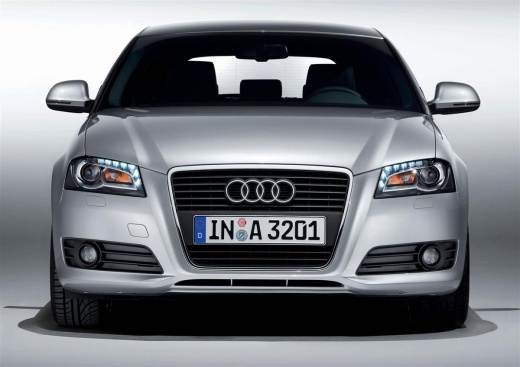
How to Remove Adhesive Badges from an Audi A3
Model: Audi A3
8P, MK 2
- Years:
2003, 2004, 2005, 2006, 2007, 2008, 2009, 2010, 2011, 2012, 2013
Video tutorial
In today's video, see how to remove the rear badges from an Audi A3. This tutorial applies to all cars. Heat the area where you need to work to soften the adhesive. Using a thin object, such as a credit card or dental floss, work to detach the badge from the bodywork. Heat again to soften any remaining sticky residue and remove it; if any remains, use an appropriate solvent for deep cleaning. Wipe with a soft cloth until the area is clean. Proceed in the same manner for all badges you wish to remove.
Updated on 12 May 2026 by ScegliAuto
Related tutorials
Audi A3
(2012-2019 /
8V, MK 3)
Let's see how to replace the chrome emblem found on the front and back of an Audi A3 with the same emblem, but in black. We can find the kit of the t…

Audi A3
(1996-2003 /
MK 1, 8L)
The removal of the left door handle on an Audi A3 model 8l vehicle is a necessary operation when you want to even just paint the exterior door of the…
Audi A3
(2012-2019 /
8V, MK 3)
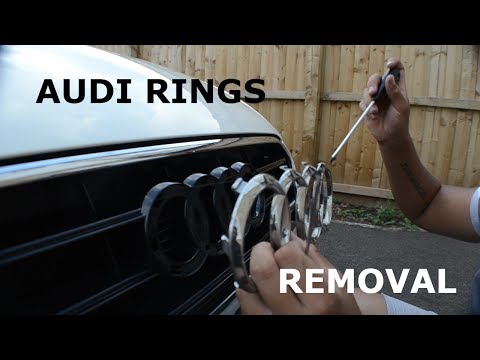
Before you can begin, exit the cabin of your Audi A3 and head to the front grille. Start by unfastening the internal clips that secure the front manu…
Other guides you may be interested in
|
How to Reset the AdBlue Warning Light on a Peugeot Boxer
To reset the AdBlue system on a 2018 Peugeot Boxer, follow these steps: Start the engine and ensure the vehicle is parked in a well-ventilated area. Locate the "MENU" button on the dashboard or steering wheel controls. Press and hold the "MENU" button until the menu options appear on the display. Use the arrow buttons or scroll wheel to access the "Vehicle Settings" or "Settings" menu. Select the "AdBlue" or "AdBlue System" option. Look for the "Recharge" or "Reset" option in the AdBlue menu. Once you find the reset option, select it and confirm your choice when prompted. The system will be reset, and a confirmation message may appear on the display. Turn off the engine and wait a few seconds. Restart the engine and check that the AdBlue system has been reset. by ScegliAuto More videos
|
|
For advertising on this site Write to info@scegliauto.com
ScegliAuto is not responsible for any inaccuracy of the data in the lists. To report any inaccuracy or your business (if you own the business in question), please write to info@scegliauto.com
Number of seconds to generate the page: 0.026
(c) ScegliAuto 2026 - info@scegliauto.com - Privacy policy VAT number: IT01247470535 |
