
|
Do it yourself
| |||
| ||||



Removing the Car Radio from an Audi A4
Model: Audi A4
B7
- Years:
2004, 2005, 2006, 2007, 2008
Video tutorial
Today, you will see a very simple tutorial: removing the car radio from the center console of an Audi A4. The first step to remove the car radio from the Audi A4 is to obtain the special keys to insert into the corner holes of the radio. Once you have done this, meaning you have inserted the keys all the way in (this is essential to release the radio's attachments), pull them out and the radio will come out with them. While you are pulling it out, disconnect the connector by pressing on the tabs. In the video, if you are interested, the disassembly of the rest of the center console is also shown.
Updated on 15 May 2026 by ScegliAuto
Related tutorials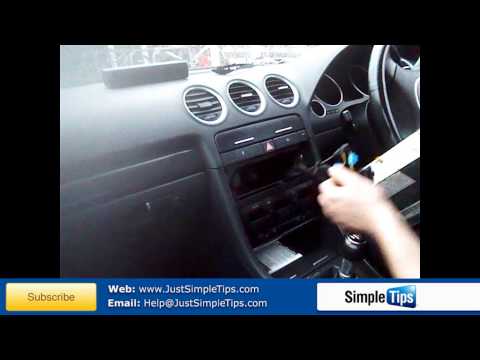
Audi A4
(2004-2008 /
B7)
To remove the original car radio, you need the appropriate extraction keys: insert the keys into the slots on the sides of the radio with the notches…

Audi A4
(2004-2008 /
B7)
The first step is to attach the anchoring tabs to the new car radio using the appropriate pre-drilled bracket. Then, slide the car radio into the bra…
Audi A4
(2014-2024 /
B9)
Resetting the MMI system is simply a forced reboot that allows access to system settings to restart the radio normally, update the software, or acces…
Other guides you may be interested in |
Where are the fuses located on the Renault Laguna?
On the Renault Laguna, the fuses are located inside the fuse boxes installed in the vehicle: in this car model, you will find two boxes for containing the fuses. The first is in the fuse box on the left side of the dashboard, accessible by opening the driver's door: here you will find the fuses for the windscreen wipers, fog lights, horn, etc. The second box is located on the right side of the engine compartment: here you will find the fuses for the dipped headlights, radiator fan, alternator, etc. by ScegliAuto More videos
|
|
For advertising on this site Write to info@scegliauto.com
ScegliAuto is not responsible for any inaccuracy of the data in the lists. To report any inaccuracy or your business (if you own the business in question), please write to info@scegliauto.com
Number of seconds to generate the page: 0.081
(c) ScegliAuto 2026 - info@scegliauto.com - Privacy policy VAT number: IT01247470535 |
