
|
Do it yourself
| |||
| ||||


How to reset the oil service light on an Audi A1
Model: Audi A1
8X, MK 1
- Years 2010-2018
This tutorial explains how to reset the service light on an Audi A1. After changing the oil yourself, based on mileage or after the recommended time interval from the manufacturer, you need to reset the oil service light. Turn the ignition switch to "ON"; a message will appear indicating the need to change the engine oil. Go to the central panel "Audi multimedia" and press the "CAR" button to enter the system. Select "Service and checks" using the dial and then "Service interval". Scroll down to "Reset oil change interval" and confirm the selection. At this point, the interval has been reset, and when you try to turn on the ignition again, the message will not appear. Note that the video is in English, so the information may vary in the Italian menu; always refer to the vehicle's user and maintenance manual.
Updated on 2 June 2026 by ScegliAuto
Video tutorial
Related tutorials
Audi A1
(2018-2025 /
MK 2, GB)
The service light reset must be performed every time we carry out maintenance work on the vehicle. To reset it on the Audi A1, we need to turn on the…
Audi A1
(2010-2018 /
8X, MK 1)
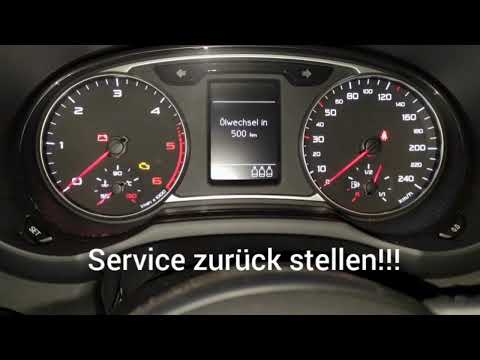
In this video guide, learn how to reset the service light, which indicates the remaining life of the engine oil, on a first-generation Audi A1, produ…

Audi A1
(2010-2018 /
8X, MK 1)
Reset the service light on a 2014 Audi A1 after completing the service at the workshop. To reset the light, do the following: - Switch on the ignitio…
Other guides you may be interested in
|
Frequently Asked QuestionsHow to Adjust the Brightness of the Instrument Cluster on a Peugeot 3008?
To adjust the brightness of the instrument cluster on a Peugeot 3008, you need to turn on the ignition and access the settings via the menu located in the central area of the dashboard. In the screen that appears, select the "Display Configuration" option: now, by selecting the "Brightness" option, you can adjust it using the dedicated slider that will appear on the screen. The adjustment should be made with the headlights on as well as with them off. Once the adjustment is complete, you can turn off the instrument cluster. by ScegliAuto More videos
|

|
For advertising on this site Write to info@scegliauto.com
ScegliAuto is not responsible for any inaccuracy of the data in the lists. To report any inaccuracy or your business (if you own the business in question), please write to info@scegliauto.com
Number of seconds to generate the page: 0.345
(c) ScegliAuto 2026 - info@scegliauto.com - Privacy policy VAT number: IT01247470535 |
