
|
Do it yourself
| |||
| ||||


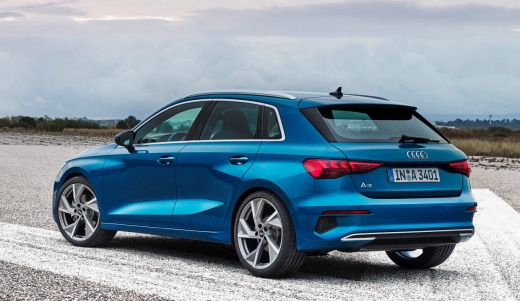
How to Force Reset the MMI System of an Audi A3
Model: Audi A3
MK 4, 8Y
- Years:
2020, 2021, 2022, 2023, 2024, 2025, 2026
Video tutorial
MMI is the name of the multimedia system from Audi. It is a highly advanced system that allows the user to have a cockpit almost devoid of knobs and buttons. It enables quick command activation, and the device menu resembles that of a smartphone. Aiming to enhance safety, the system also includes voice commands to call contacts from the address book and navigate to destinations. However, like all electronic devices, it sometimes needs to be reset due to malfunctions. You can force this operation by pressing three buttons on the central console simultaneously: the Menu button, the central button, and the top right button. This will cause the screen to turn off completely and then restart on its own.
Updated on 27 June 2026 by ScegliAuto
Related tutorials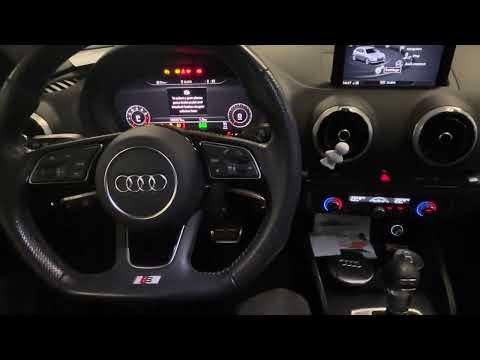
Audi A3
(2012-2019 /
8V, MK 3)
In the Audi A3, the MMI multimedia system may occasionally freeze and show various signs of malfunction. In these cases, you can try to resolve the i…
Audi A3
(2012-2019 /
8V, MK 3)
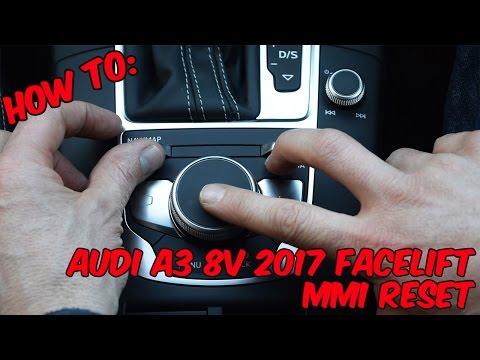
This video demonstrates the procedure to reset the MMI system in your Audi A3. This acronym refers to the "Multi Media Interface", the computer syste…

Audi A3
(2012-2019 /
8V, MK 3)
Resetting the MMI is extremely difficult to do on your own, as it requires specialized equipment and knowledge of the system. It is therefore necessa…
Other guides you may be interested in |
How to Open the Fuel Filler Flap in the Hyundai i30?
In this tutorial, you will learn how to open the fuel filler flap in the Hyundai i30, a very simple operation that follows the typical procedure of most vehicles. First, unlock the locks using the designated button on the remote, then open the driver's door, locate the release lever on the left side of the seat, and operate it. Next, move to the fuel filler flap, open it completely, unscrew the cap, and refuel as needed. To close the flap, simply press it gently. by ScegliAuto More videos
|
|
For advertising on this site Write to info@scegliauto.com
ScegliAuto is not responsible for any inaccuracy of the data in the lists. To report any inaccuracy or your business (if you own the business in question), please write to info@scegliauto.com
Number of seconds to generate the page: 0.037
(c) ScegliAuto 2026 - info@scegliauto.com - Privacy policy VAT number: IT01247470535 |
