
|
Do it yourself
| |||
| ||||


How to connect iPhone with sound system
Model: Audi Audi Various
To use your iPhone with the car audio system, go to "settings" in the phone and from the "bluetooth" menu activate the search for new devices. When it detects the car name, pair the devices using the confirmation code displayed. In this way you will find your telephone directory on the car display, as well as recent calls and favorite numbers. To use Apple CARPLAY, on the other hand, you will need to connect your iPhone via cable to the car's USB port. By doing so you can reproduce the iPhone screen on the car display and also use other applications, such as MAPS or SPOTIFY.
Posted on 30 December 2022 by ScegliAuto
Video tutorial
Related tutorials
Audi Audi Various
The MMI Audi module allows you to electronically manage a series of electronic devices in the car, such as the navigator, radio, audio system, etc. I…

Audi Audi Various
Today, you will learn how to use myAudi services via Audi Connect. Download the myAudi app on your mobile device, available for both Android and iPho…

Audi Audi Various
Turn on the instrument cluster so that you can click on the touch screen of the on-board computer. On the main screen you can see how, among the vari…
Other guides you may be interested in |
How to Replace the Fan Resistor on a Renault Scenic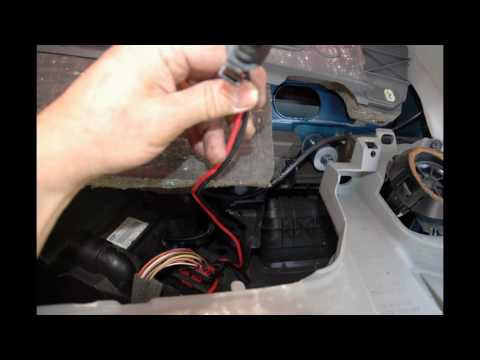
How to replace the fan resistor on a Renault Scenic. In this video, learn how to perform the disassembly: use a lever to remove the plastic under the glove compartment, and unscrew the cover (where the resistor is located) with a screwdriver. Disconnect the large connector of the resistor, then pull it out from the cabin. Insert a new fan resistor (connect the power connector). Finally, refit the cover and tighten the screws. Check the correct assembly of the previously fitted parts and test the correct operation of the fan. by ScegliAuto More videos
|
|
For advertising on this site Write to info@scegliauto.com
ScegliAuto is not responsible for any inaccuracy of the data in the lists. To report any inaccuracy or your business (if you own the business in question), please write to info@scegliauto.com
Number of seconds to generate the page: 0.044
(c) ScegliAuto 2026 - info@scegliauto.com - Privacy policy VAT number: IT01247470535 |
