
|
Do it yourself
| |||
| ||||


How do you reset the Audi MMI module?
Model: Audi Audi Various
Video tutorial
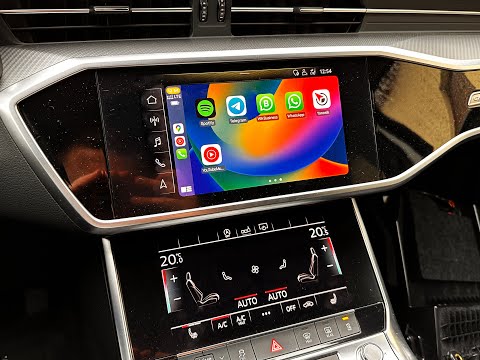
The MMI Audi module allows you to electronically manage a series of electronic devices in the car, such as the navigator, radio, audio system, etc. If it were to malfunction, meaning a temporary failure unrelated to hardware malfunctions, you can try a DIY reset by following this procedure: with the instrument panel on, press and hold the Menu button and the knob in the upper right corner, wait fifteen seconds and you will see the screen go black, then turn off and restart. This sequence is mainly recommended for Audi cars produced from 2016 to 2020.
Posted on 15 September 2025 by ScegliAuto
Related tutorials
Audi Audi Various
It will be possible to reset the MMI system installed on the Audi's on-board computer by first turning on the instrument panel: by pressing the NAV b…
Audi Audi Various
To reset the MMI system of Audi, insert the ignition key to power on the instrument cluster. Once the cluster is on, locate the circular button on th…

Audi Audi Various
The MMI in Audi cars is the navigation system used in Audi vehicles, integrated into the main system and also including the radio, video player, etc.…
Other guides you may be interested in |
How to open the boot if it is stuck on a Mercedes B-Class?
On the Mercedes B-Class, the boot may become stuck, possibly due to a problem with the control button or the lock actuator. In this case, perform the emergency opening by following the simple procedure shown in this tutorial. First, unlock the locks with the remote control, then open the rear doors and, by operating the indicated lever, lower the backrest of the seat. Next, go inside the boot, locate the indicated gap, and manually unlock the lock using a small screwdriver. by ScegliAuto More videos
|
|
For advertising on this site Write to info@scegliauto.com
ScegliAuto is not responsible for any inaccuracy of the data in the lists. To report any inaccuracy or your business (if you own the business in question), please write to info@scegliauto.com
Number of seconds to generate the page: 0.099
(c) ScegliAuto 2026 - info@scegliauto.com - Privacy policy VAT number: IT01247470535 |
