
|
Do it yourself
| |||
| ||||


How to restart the Audi MMI?
Model: Audi Audi Various
The MMI in Audi cars is the navigation system used in Audi vehicles, integrated into the main system and also including the radio, video player, etc. A sudden inability to use it may arise from not having the updated software in the system, a problem that we can easily remedy ourselves. We can download the software online, then transfer it to an SD memory card, which we insert into the appropriate reader in the car, and then transfer and install it in the installed system. By watching the tutorial video provided, we will understand step by step how to do it.
Updated on 30 January 2026 by ScegliAuto
Video tutorial
Related tutorials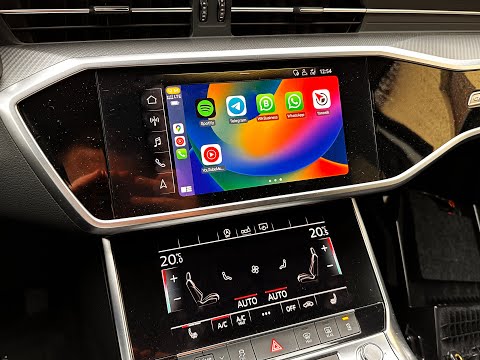
Audi Audi Various
In order to reset the MMI system of Audi vehicles, you need to insert the ignition key so that you can turn on the instrument panel. Once it is turne…

Audi Audi Various
If suddenly the touch commands of the Audi MMI multimedia system do not respond adequately or the navigator freezes on a screen, it is advisable to r…

Audi Audi Various
In this video, you can see how to reset the MMI system (essentially the car radio) of your Audi. This system is applicable to most vehicles of the br…
Other guides you may be interested in |
How to Check the Oil Level on a Jeep Renegade?
To check the oil level on a Jeep Renegade, you need to open the bonnet to access the components inside the engine bay: on the lower left side of the engine block, you will find the dipstick for checking the level. This should be pulled out and thoroughly cleaned with a cloth: once cleaned, reinsert it back into its tube and pull it out immediately after. This way, you can check that the oil mark is between the minimum and maximum levels; finally, you can place the dipstick back in its tube. by ScegliAuto More videos
|
|
For advertising on this site Write to info@scegliauto.com
ScegliAuto is not responsible for any inaccuracy of the data in the lists. To report any inaccuracy or your business (if you own the business in question), please write to info@scegliauto.com
Number of seconds to generate the page: 0.496
(c) ScegliAuto 2026 - info@scegliauto.com - Privacy policy VAT number: IT01247470535 |
